Latest Updates
How to Increase Upload Size for MySQL Database via WHM
How to Increase Upload Size for MySQL Database via WHM is a common question among server administrators and hosting users who need to import large MySQL database files. By default, cPanel and phpMyAdmin have…
How to Increase Upload Size for MySQL Database via WHM is a common question among server administrators and hosting users who need to import large MySQL database files. By default, cPanel and phpMyAdmin have upload limits that may prevent users from importing larger database backups, website migrations, or application databases.
When the database file exceeds the configured upload limit, users may encounter upload errors or failed imports. Fortunately, WHM provides an easy way to increase the PHP upload size using the Tweak Settings interface.
In this guide, you’ll learn how to increase the MySQL database upload size through WHM in just a few simple steps.
Why Increase MySQL Database Upload Size?
Large database imports are common when:
- Migrating websites
- Restoring backups
- Importing eCommerce databases
- Moving WordPress websites
- Transferring applications between servers
If the upload size limit is too low, phpMyAdmin may reject the database file during import.
Increasing the upload size allows larger SQL files to be uploaded successfully.
Prerequisites
Before proceeding, ensure that:
✔ You have Root Access to WHM
✔ WHM is functioning properly
✔ The server has sufficient disk space available
✔ You have administrative privileges
Step 1: Log in to WHM
Access your WHM panel using root credentials.
Example: https://your-server-hostname:2087
Once authenticated, you’ll be redirected to the WHM dashboard.
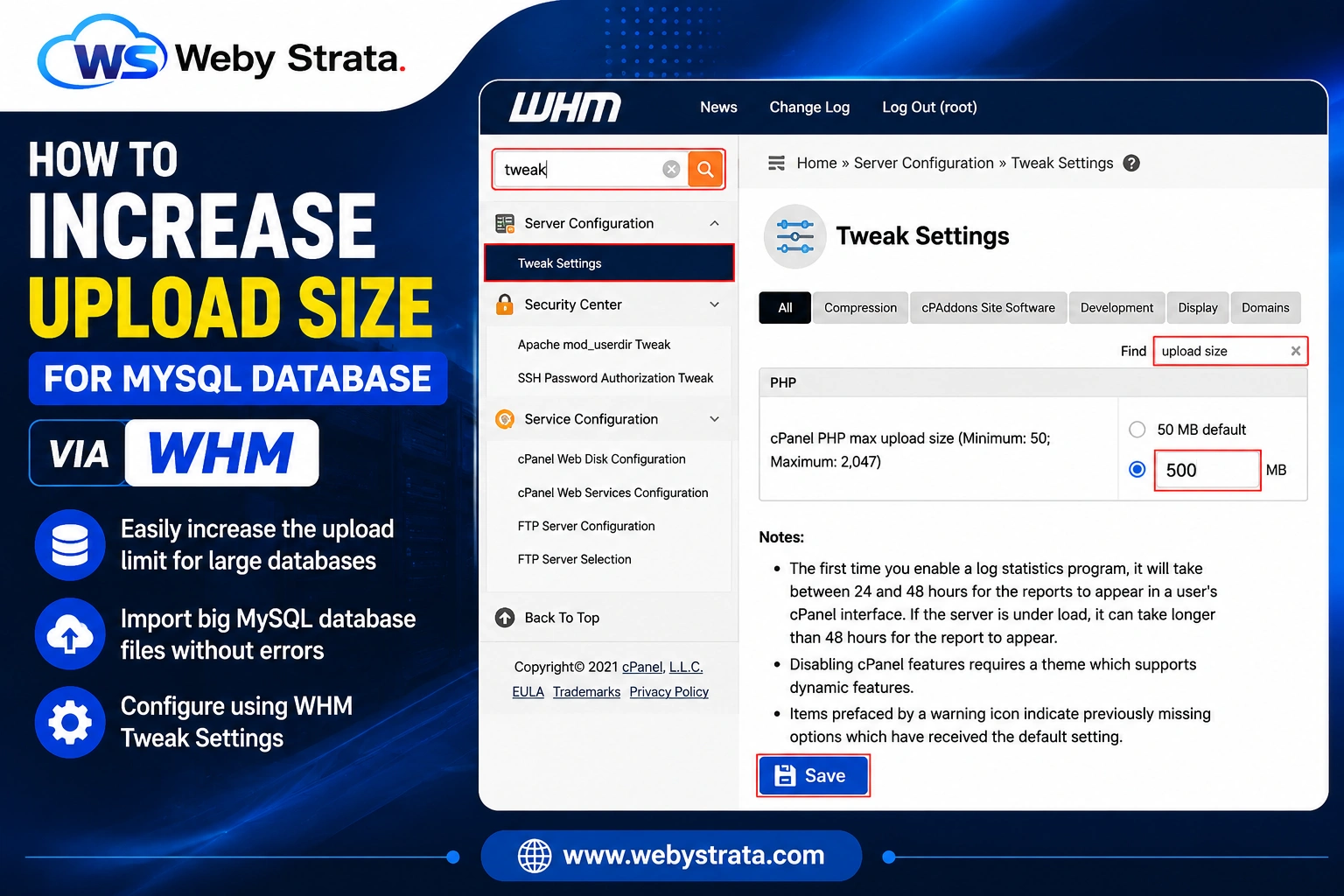
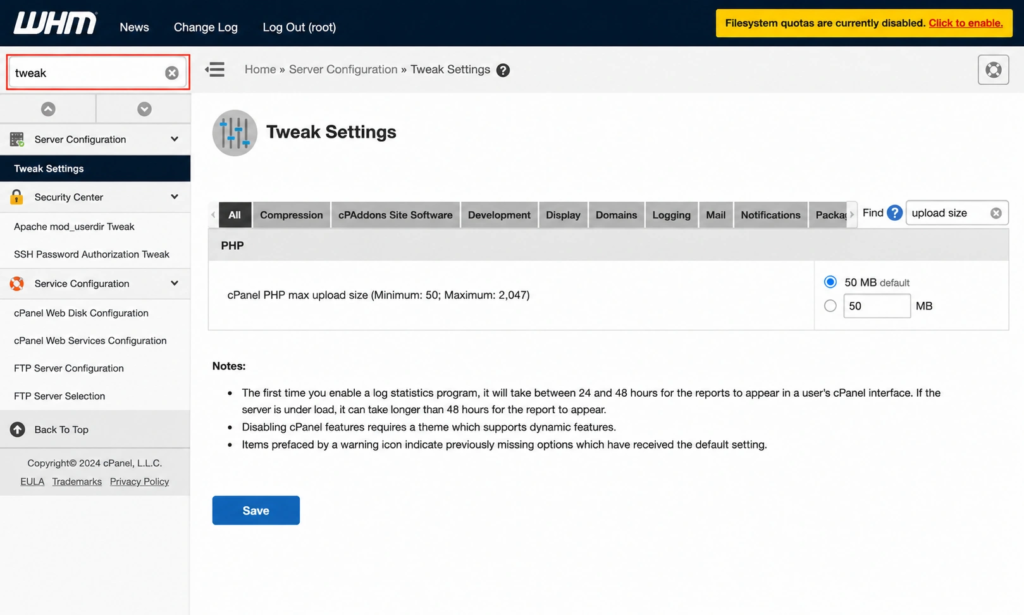
Step 2: Search for Tweak Settings
At the top-left search bar inside WHM:
Type: Tweak
Locate: Tweak Settings
Click on it to open the server configuration page.
Step 3: Open Tweak Settings
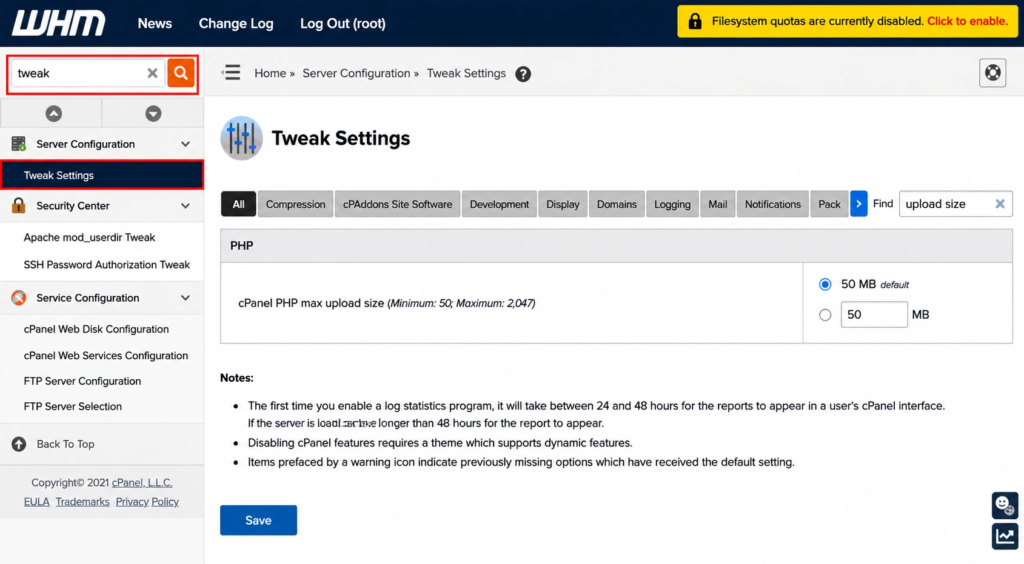
After clicking Tweak Settings, you’ll be redirected to the server-wide configuration interface.
This section allows administrators to modify various cPanel and WHM settings.
Step 4: Search for Upload Size
Inside the Tweak Settings page, locate the:
Find search box.
Type: upload size
Look for: cPanel PHP Max Upload Size

Step 5: Increase the Upload Limit
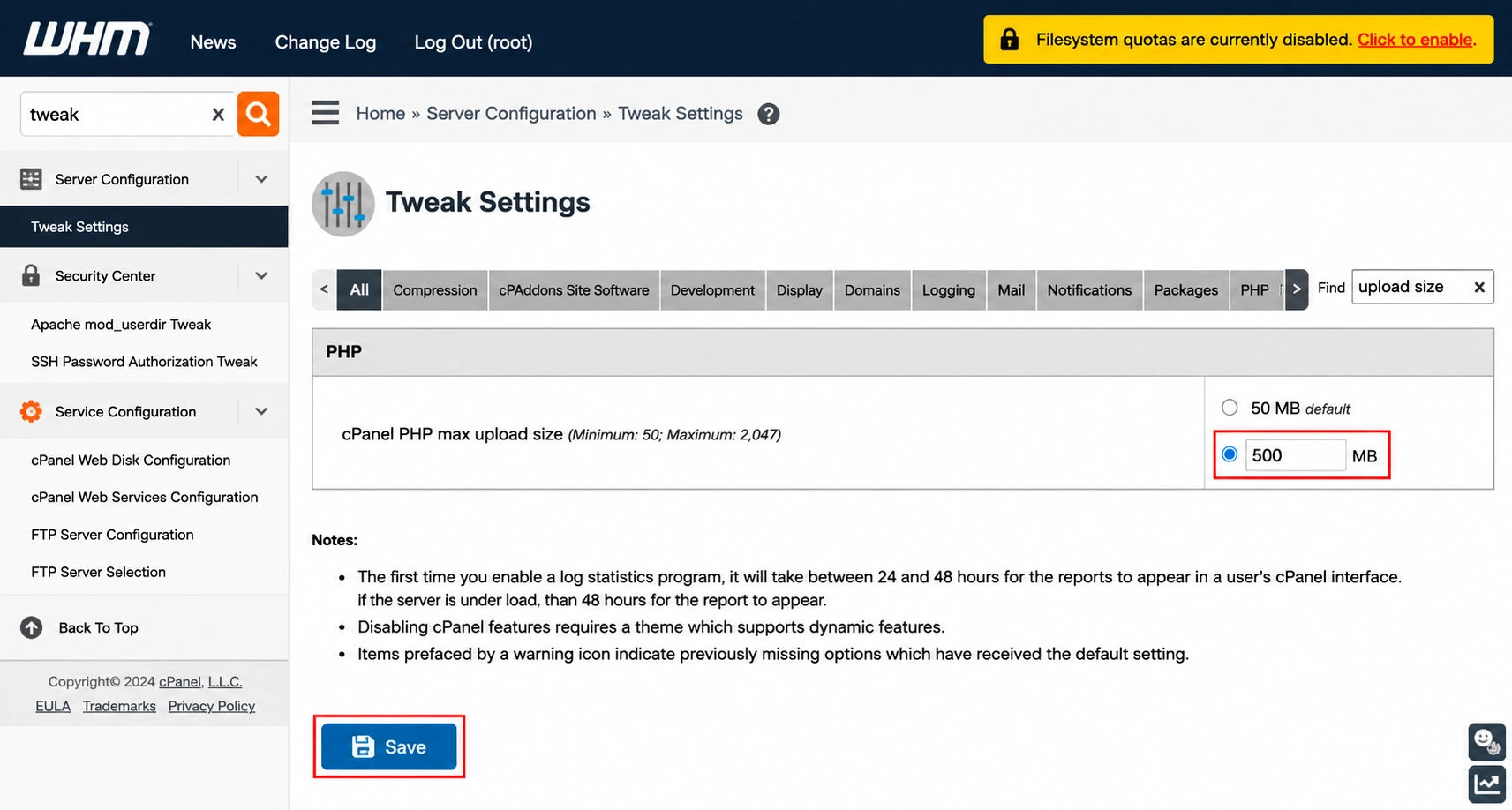
You will see the setting:
cPanel PHP Max Upload Size
The allowed range is:
- Minimum: 50 MB
- Maximum: 2047 MB
Enter your preferred upload size.
Examples:
- 128 MB
- 256 MB
- 512 MB
- 1024 MB
- 2047 MB
Choose a value based on the size of the database you intend to import.
Step 6: Save the Changes
After updating the upload size value:
Click: Save
WHM will begin applying the new configuration.
Depending on server load and environment settings, the changes may take a few moments to become active.
Verify the New Upload Limit
After saving:
- Log in to cPanel.
- Open phpMyAdmin.
- Click the Import tab.
You should now see the updated maximum upload size displayed on the import page.
This confirms the configuration has been successfully applied.
Common Reasons for Increasing Upload Limits
Website Migration
Import large WordPress, Joomla, Magento, or custom application databases.
Backup Restoration
Restore complete database backups without splitting SQL files.
eCommerce Stores
Large WooCommerce, OpenCart, PrestaShop, and Magento databases often require higher upload limits.
Development Projects
Import staging or production databases efficiently.
Why Use WHM Tweak Settings?
WHM Tweak Settings offers a centralized and easy way to manage:
- PHP Upload Limits
- Server Configuration
- cPanel Settings
- Performance Options
- Security Preferences
Instead of manually editing configuration files, administrators can make changes directly from the WHM interface.
Conclusion
The How to Increase Upload Size for MySQL Database via WHM process is simple and can be completed through WHM’s Tweak Settings section. By increasing the cPanel PHP Max Upload Size value, you can successfully import larger MySQL databases through phpMyAdmin without encountering upload restrictions.
This configuration is especially useful for website migrations, database restorations, and large application deployments.
Originally published on WebyStrata.com Blog.
Related Articles