cPanel
How to increase max input time in cpanel
On your cPanel dashboard look for the Software section & click on MultiPHP Ini Editor select a domain from the dropdown that you want to increase the max_input_time Below “PHP Directive”, scroll down to “max_input_time”. Once you enter the…
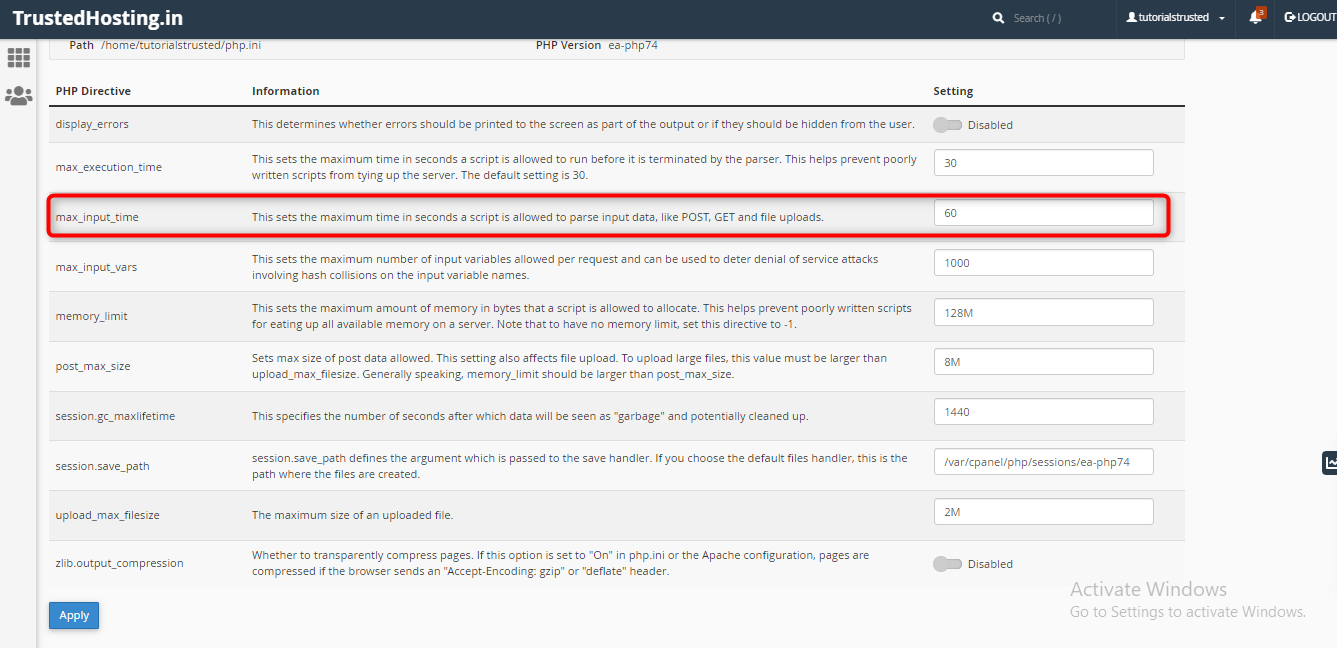
- On your cPanel dashboard look for the Software section & click on MultiPHP Ini Editor

- select a domain from the dropdown that you want to increase the max_input_time

- Below “PHP Directive”, scroll down to “max_input_time”.

- Once you enter the desired max_input_time, scroll to the bottom of the page and click the blue “Apply” button.

- All done!
Related Articles