Latest Updates
WordPress – Delete Posts
In this chapter, we will study how to Delete Posts in WordPress. Following are the steps to Delete Posts in WordPress. Step (1) − Click on Posts → All Post in WordPress. Step (2) − You can delete Post1 (Post1 was created…
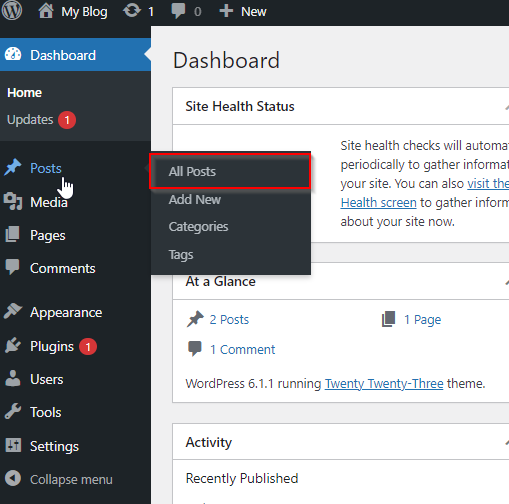
In this chapter, we will study how to Delete Posts in WordPress.
Following are the steps to Delete Posts in WordPress.
Step (1) − Click on Posts → All Post in WordPress.

Step (2) − You can delete Post1 (Post1 was created in the chapter WordPress – Add Posts. When the cursor hovers on the Post, then a few options get displayed below Post1. Click on Trash option to delete the post.

Step (3) − You can view your post lists to confirm if the above post is deleted.

Related Articles