Latest Updates
How to Force a User to Change Password from WHM?
How to Force a User to Change Password from WHM How to Force a User to Change Password from WHM is an important WHM security feature that allows server administrators to require cPanel users…
How to Force a User to Change Password from WHM
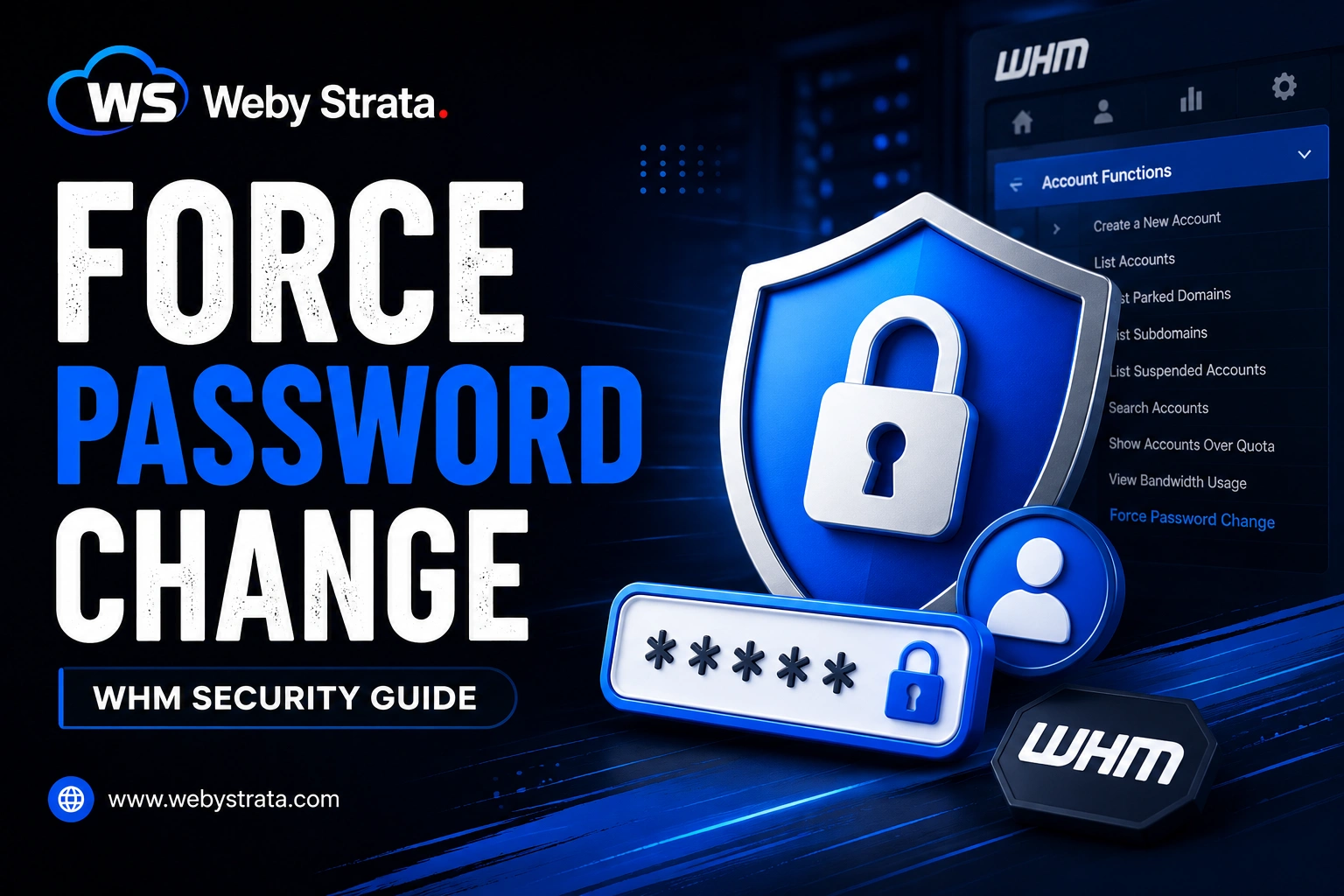
How to Force a User to Change Password from WHM is an important WHM security feature that allows server administrators to require cPanel users to update their passwords. This is especially useful after account migrations, security incidents, password resets, or when enforcing stronger password policies. Once enabled, WHM will continuously prompt the user to change their password before they can fully access their cPanel account.
Step 1: Log in to WHM
Log in to your WHM account using root credentials.
Step 2: Open Account Functions
From the left-side navigation menu, navigate to: Account Functions
Step 3: Click on Force Password Change
Under Account Functions, select: Force Password Change
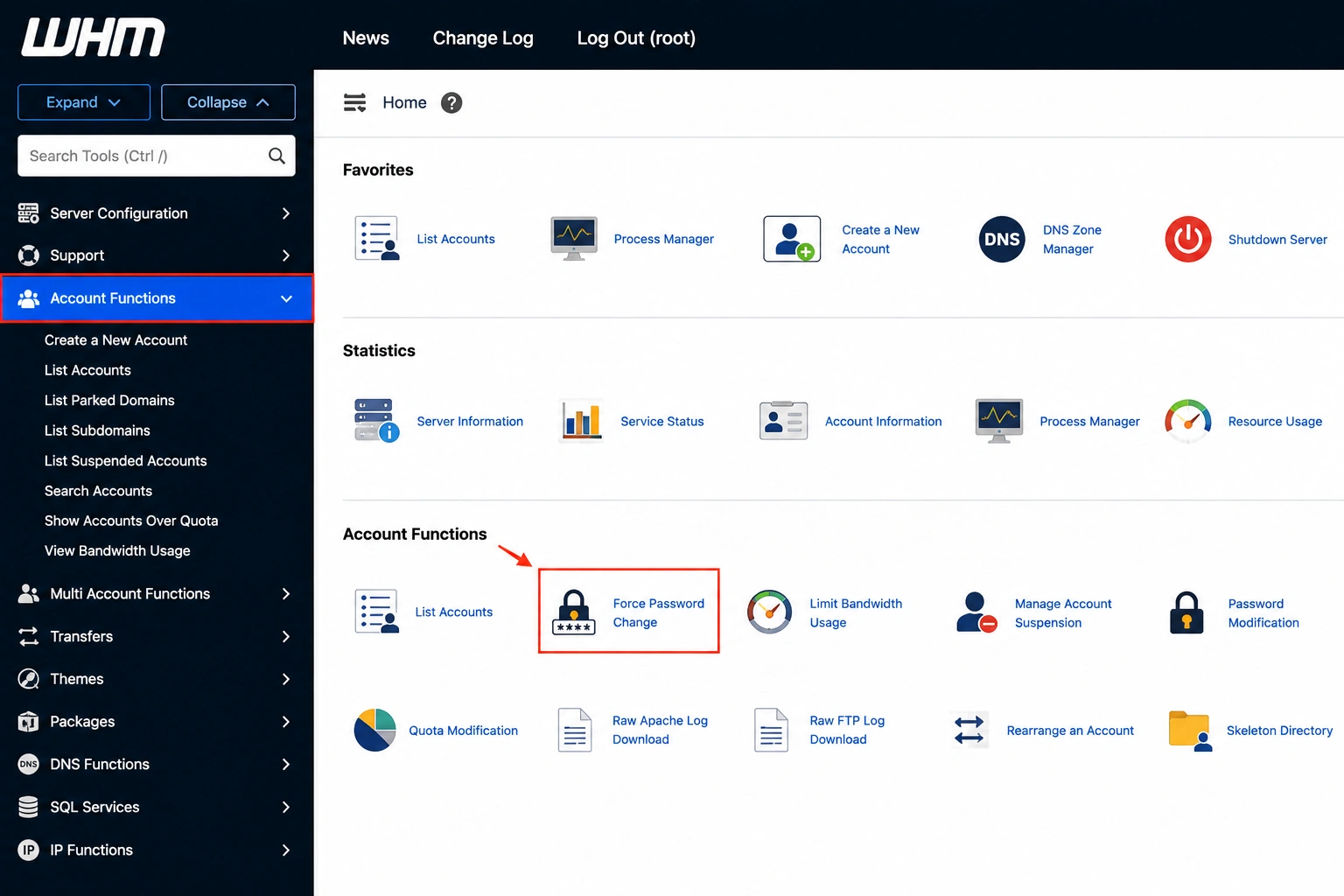
The interface will display a list of all active cPanel accounts hosted on the server.
Step 4: Select User Accounts
Locate the user account(s) for which you want to enforce a password change.
Under the Forced? column, check the box next to the desired user account.
You can select one or multiple users.
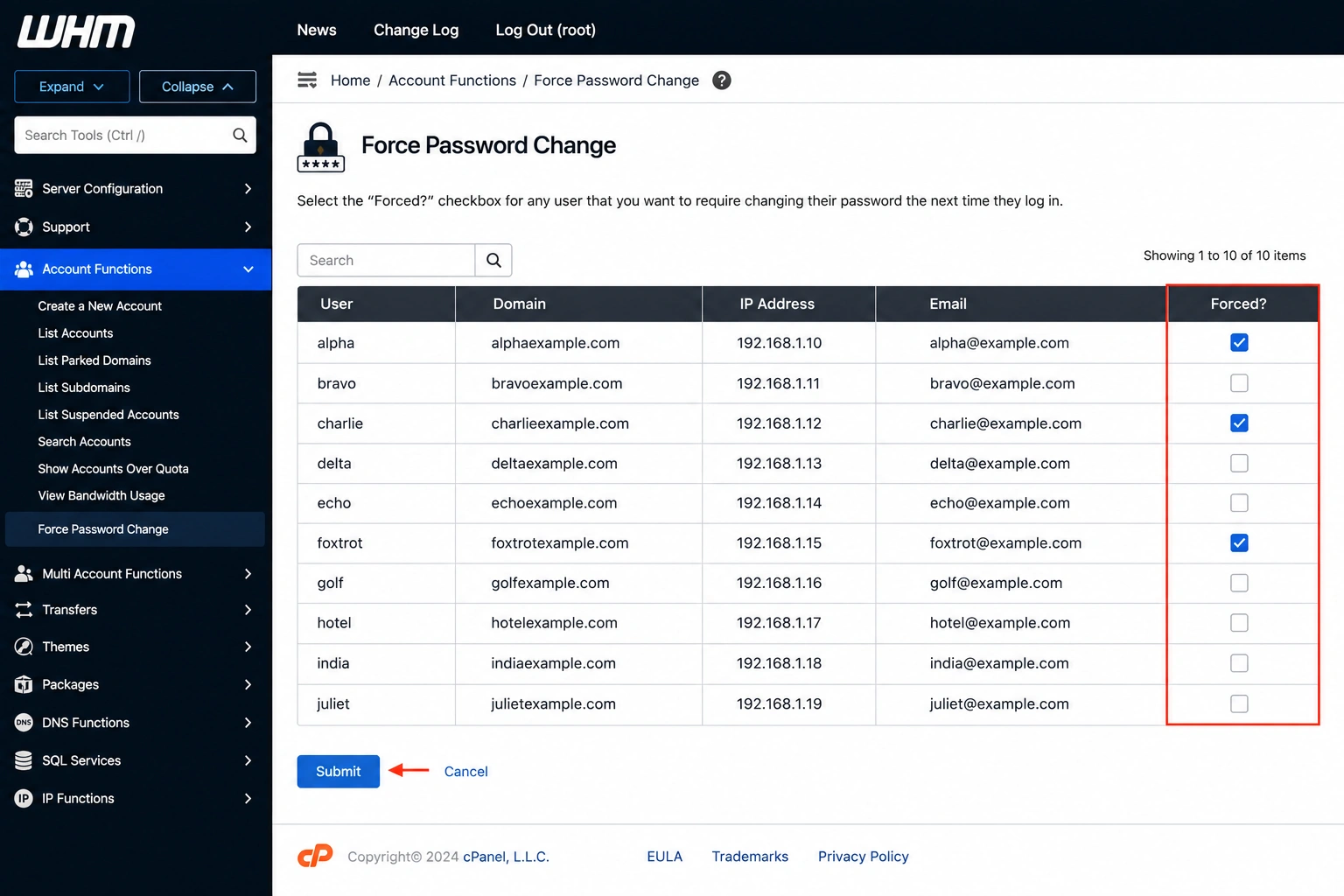
Step 5: Submit Changes
Click the: Submit button.
WHM will immediately apply the setting.
What Happens Next?
The next time the user logs in to cPanel:
- They will be prompted to change their password.
- Access to certain cPanel features may be restricted until the password is updated.
- The password change prompt will continue to appear until the user successfully changes their password.
Note: If the user has not changed their password, the Forced? checkbox will remain selected in WHM.
Conclusion
The Force Password Change feature in WHM is a simple but effective way to improve account security. It helps administrators ensure that users update outdated, weak, or compromised passwords and maintain a more secure hosting environment.
Originally published on WebyStrata.com Blog.
Related Articles