Latest Updates
How to Log in to Your Reseller Client’s WHM Account
How to Log in to Your Reseller Client's WHM Account How to Log in to Your Reseller Client's WHM Account is a useful feature for server administrators who need to assist reseller users with…
How to Log in to Your Reseller Client’s WHM Account
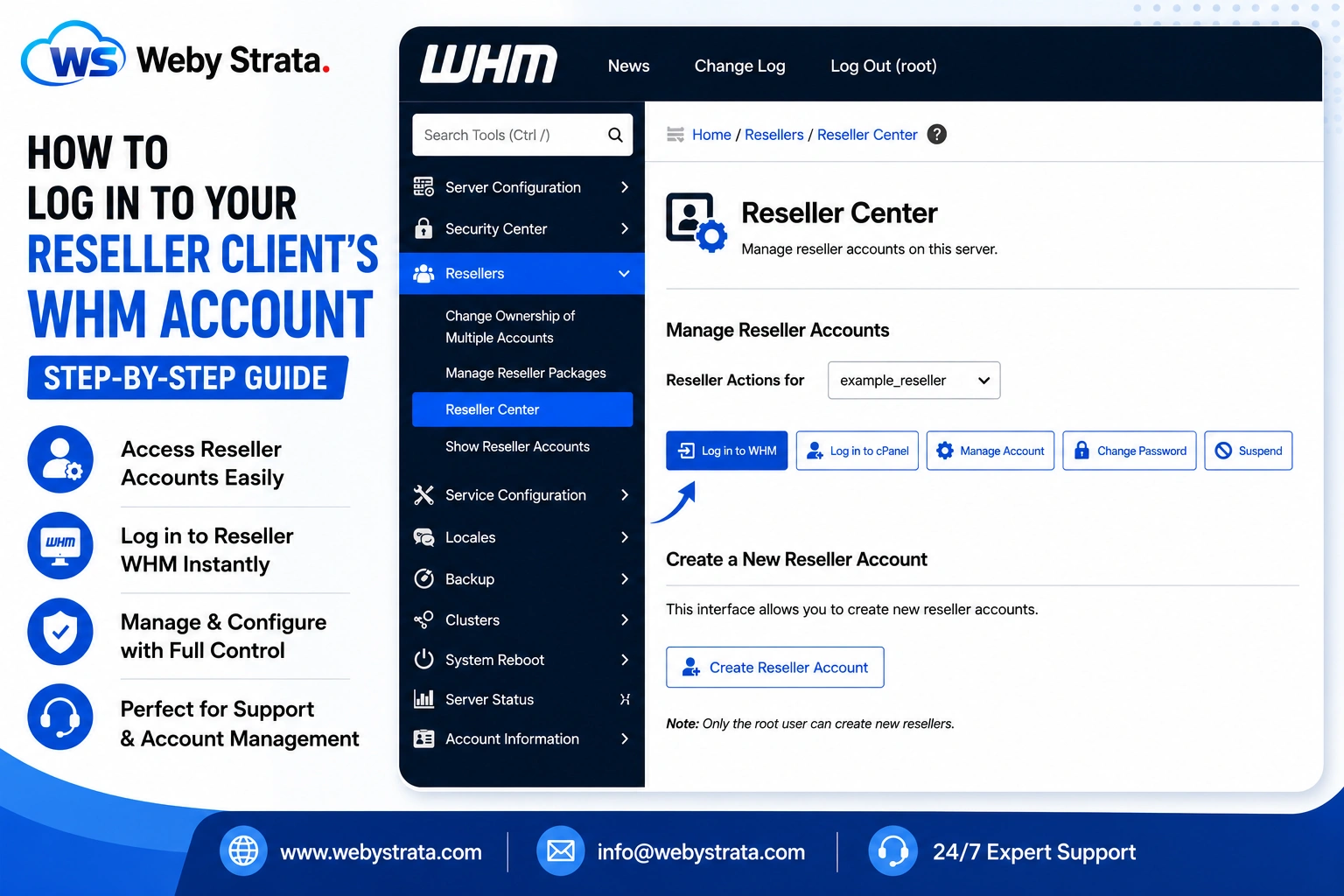
How to Log in to Your Reseller Client’s WHM Account is a useful feature for server administrators who need to assist reseller users with account management, troubleshooting, hosting configurations, and technical support. WHM allows root users to access reseller accounts directly without requiring the reseller’s login credentials, making it easier to manage services and resolve issues quickly.
Step 1: Log in to WHM
Log in to your WHM account using root credentials.
Step 2: Open Resellers
From the left-side navigation menu, go to: Resellers
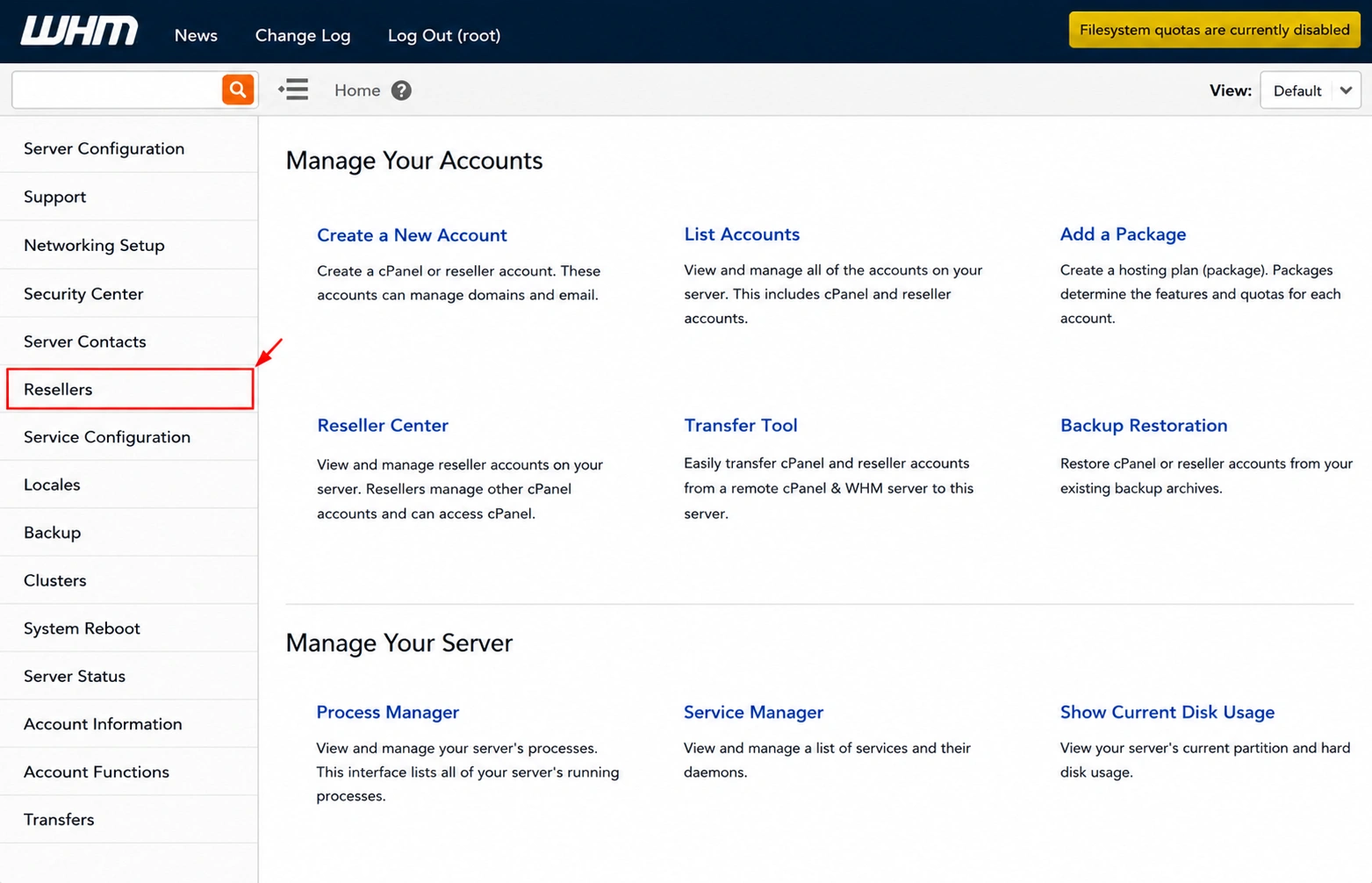
Step 3: Click on Reseller Center
Under the Resellers section, click: Reseller Center
The Reseller Center interface will open.
Step 4: Select the Reseller Account
Locate the: Reseller Actions for dropdown menu.
Select the reseller account that you want to access.
Step 5: Log in to WHM
After selecting the reseller account, click: Log in to WHM
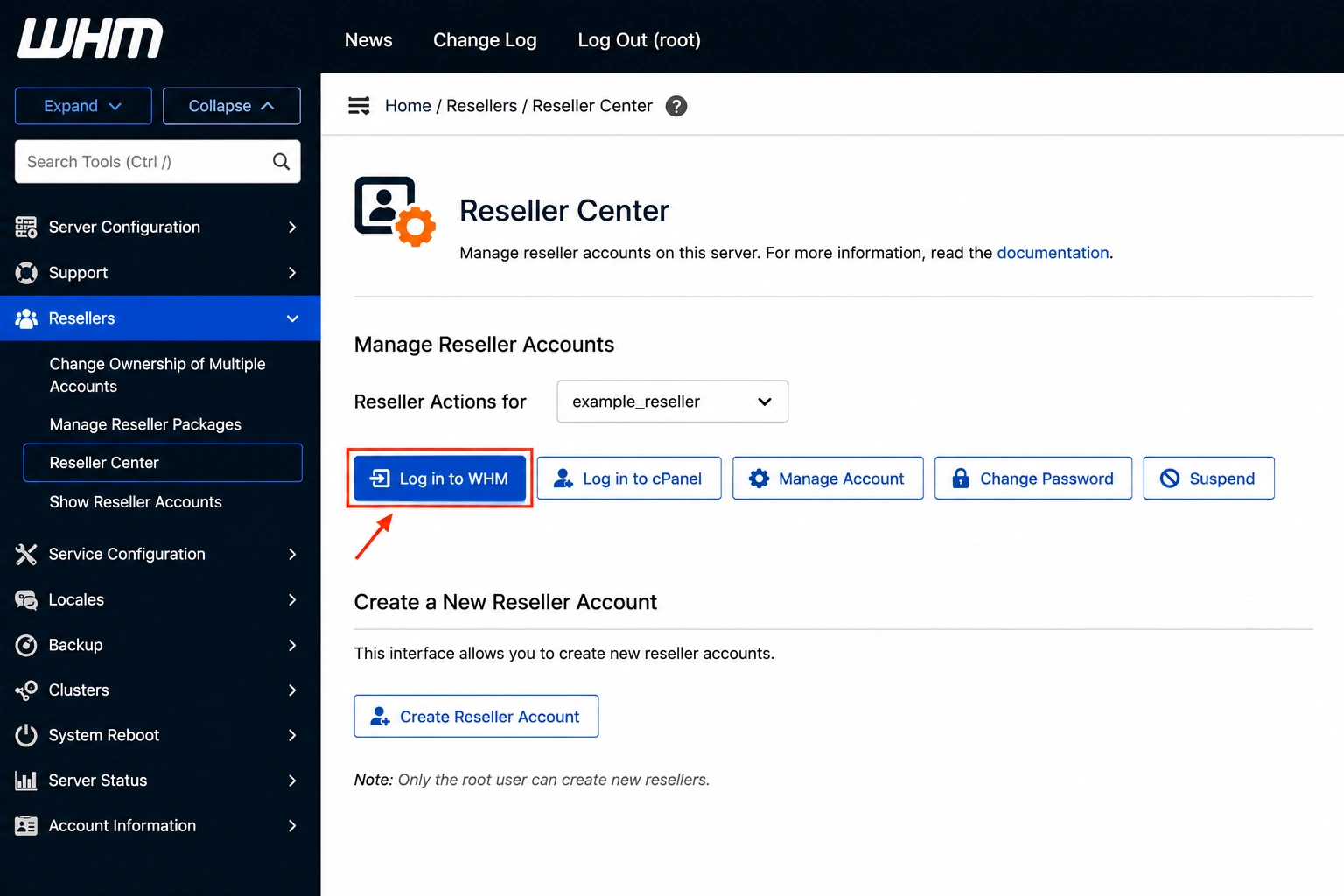
Step 6: Access the Reseller WHM Panel
A new browser tab will open automatically with the reseller’s WHM dashboard.
You can now manage the reseller account, configure settings, create hosting packages, manage cPanel accounts, and perform administrative tasks as the reseller user.
Conclusion
WHM’s reseller login feature allows root administrators to quickly access reseller accounts for support, management, and troubleshooting purposes. This eliminates the need to request login credentials from resellers and helps server administrators provide faster assistance when needed.
Originally published on WebyStrata.com Blog.
Related Articles