WordPress Complete Tutorials
WordPress – Add Media
In this chapter, we will study how to Add Media files in WordPress. WordPress allows you to add, all kind of media files like videos, audios and images. Following are the steps to Add Media. Step (1) −…
In this chapter, we will study how to Add Media files in WordPress. WordPress allows you to add, all kind of media files like videos, audios and images.
Following are the steps to Add Media.
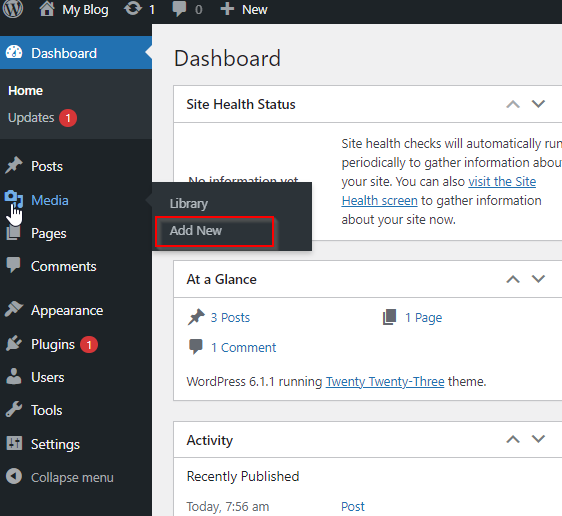
Step (1) − Click on Media → Add New in WordPress.

Step (2) − Then, click on Select Files option to select the files from your local storage as shown in the following figure.

Step (3) − Add Media files such as images and audios by selecting them and click open as shown in the following screenshot.

Step (4) − You can view the list of media files added as shown in the following screenshot.

Related Articles