WHMCS
How to Set Up Your First Product Group
How to Set Up Your First Product Group The first step to creating products is setting up a product group. Product groups are collections of related products or services that you sell. The steps below create…

How to Set Up Your First Product Group
The first step to creating products is setting up a product group. Product groups are collections of related products or services that you sell.
The steps below create a product group for shared cPanel hosting.
Creating a Product Group
To create a new product group:
1. Go to Configuration > System Settings > Products/Services.
2. Click Create a New Group.
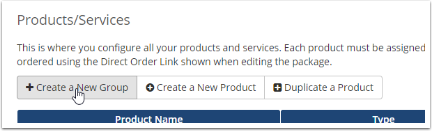
3. Enter a Product Group Name (for example, Shared cPanel Hosting).
4. Specify a URL, headline, tagline, order form template, and the payment gateways that customers can use when they buy items from this group.
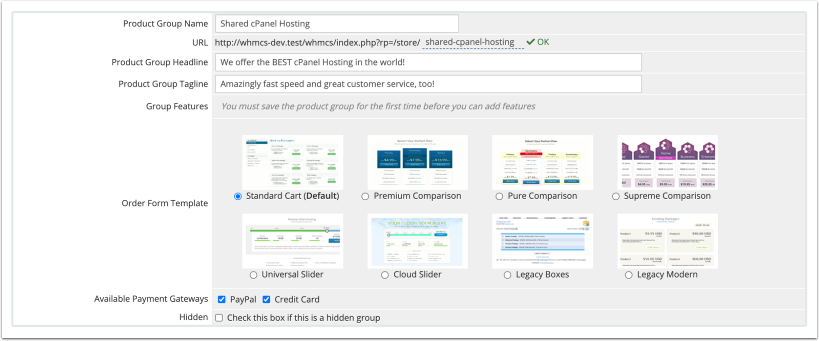
5. Click Save Changes.
After you create your product group, you can continue to create a product:
- Creating Your First Shared Hosting Product
- Creating Your First Reseller Hosting Product
- Creating Your First VPS/Dedicated Server Product
- Creating Your First Non-Hosting Product
Related Articles