1 .Email Disk Usage
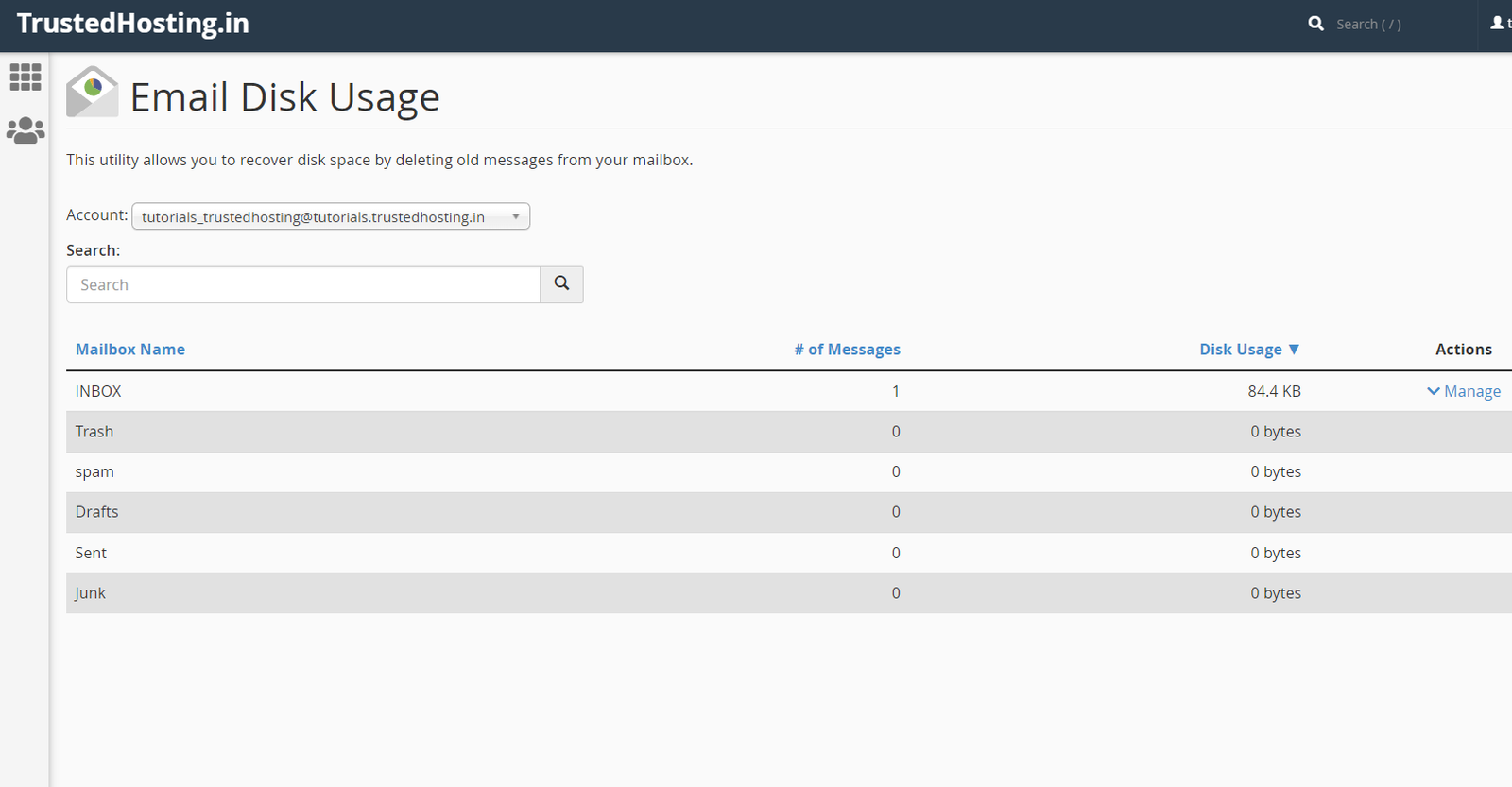
On your account cPanel interface, you will find the Email Disk Usage feature.

cPanel
1 .Email Disk Usage On your account cPanel interface, you will find the Email Disk Usage feature. This feature allows you to view all of your mailboxes and quickly remove old emails or large messages. 2.The…
On your account cPanel interface, you will find the Email Disk Usage feature.
This feature allows you to view all of your mailboxes and quickly remove old emails or large messages.

Mailbox Name – the name of the mailbox folder
# of Messages – the number of messages in the mailbox folder
Disk Usage – the amount of disk usage each folder uses
Actions – click Manage to remove message from the folder.

3.Now, using the cPanel’s Email Disk Usage feature, you can easily delete unwanted emails from your email accounts.
Written By
WebyStrata Editorial Team
Shaik Sai Meera shares practical publishing insights, comparisons, and WordPress-focused growth guidance for modern web teams.
Related Articles
How to Change IP Address of a Site in WHM? Managing a website on a WHM server often…
June 11, 2026
How to Increase Upload Size for MySQL Database via WHM is a common question among server administrators and…
June 11, 2026
How to Generate a CSR in WHM SSL certificates have become an essential part of modern website security.…
June 11, 2026