WHMCS
How to Change the Default Product Group
How to Change the Default Product Group When customers visit their shopping cart (cart.php), the products in the default product group display. You can change the default product group to display a different group…

How to Change the Default Product Group
When customers visit their shopping cart (cart.php), the products in the default product group display. You can change the default product group to display a different group of products.
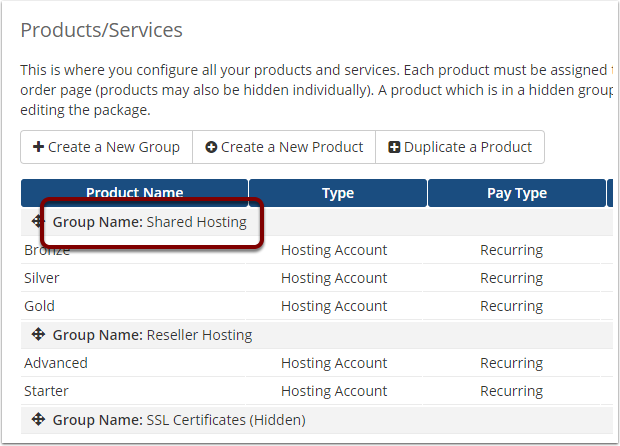
The default product group is the group that displays at the top of the list at Configuration > System Settings > Products & Services.
Change the Default Product Group
To change the default product group:
1. Go to Configuration > System Settings > Products & Services.
2. Find the product group that you want to make the default group.
3. Click on the arrow icon next to the group name and drag the product group to the top of the list.
A green success message will confirm that the system saved your changes.
Related Articles