WHMCS
How to Require Clients to Accept Terms and Conditions
How to Require Clients to Accept Terms and Conditions You may want to require a client to indicate that they have read and agree to your terms and conditions of service (TOS) before placing…

How to Require Clients to Accept Terms and Conditions
You may want to require a client to indicate that they have read and agree to your terms and conditions of service (TOS) before placing an order.
When you configure WHMCS’s TOS acceptance settings, clients must check the checkbox to indicate they agree to the terms before they can create accounts or place orders.
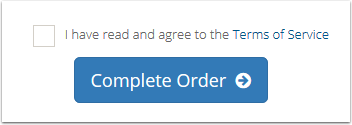
Require TOS Acceptance
To do this:
1. Go to Configuration > System Settings > General Settings (Setup > General Settings in WHMCS 7.10 and earlier).
2. Click the Ordering tab.
3. Check Enable TOS Acceptance.
4. In Terms of Service URL, enter the URL of your terms of service document.
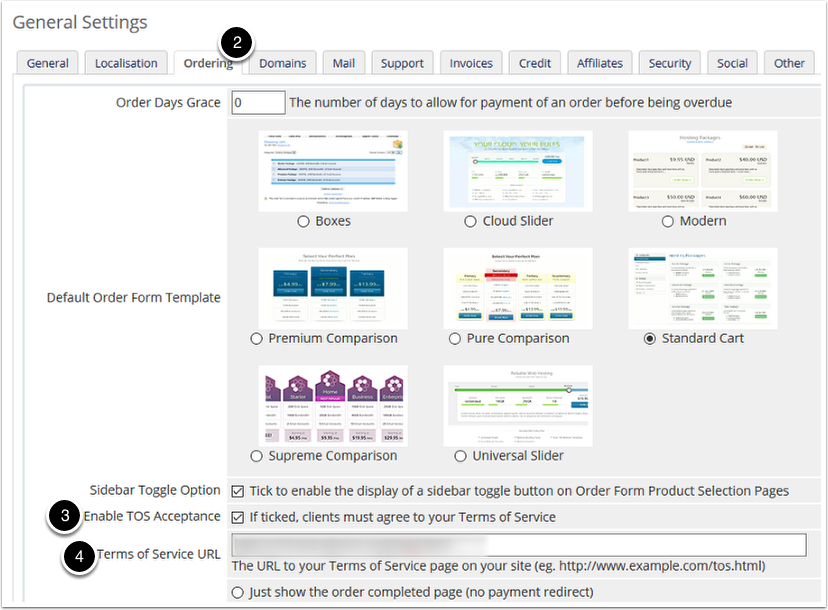
5. Click Save Changes.
Related Articles