WHMCS
How to Change the Address on Invoices in WHMCS
How to Change the Address on Invoices in WHMCS WHMCS displays the address that you enter in Pay To Text on the invoices WHMCS generates. You can change this setting at any time. Changing the Address…

How to Change the Address on Invoices in WHMCS
WHMCS displays the address that you enter in Pay To Text on the invoices WHMCS generates. You can change this setting at any time.
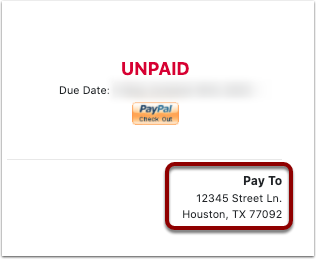
Changing the Address on Invoices
To update the address:
1. Go to Configuration > System Settings > General Settings (prior to WHMCS 8.0, Setup > General Settings).
2. Choose the General tab.

3. Enter your new address in Pay To Text.
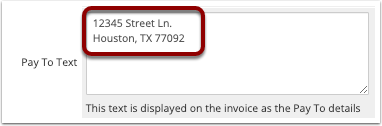
4. Click Save Changes. The new address will appear on new invoices.
Related Articles