Latest Updates
How To Add Blogroll To Your WordPress Website
How To Add Blogroll To Your WordPress Website If you've been exploring WordPress or reading about blogging, you may have come across the term blogroll. While blogrolls were extremely popular during the early days…
How To Add Blogroll To Your WordPress Website
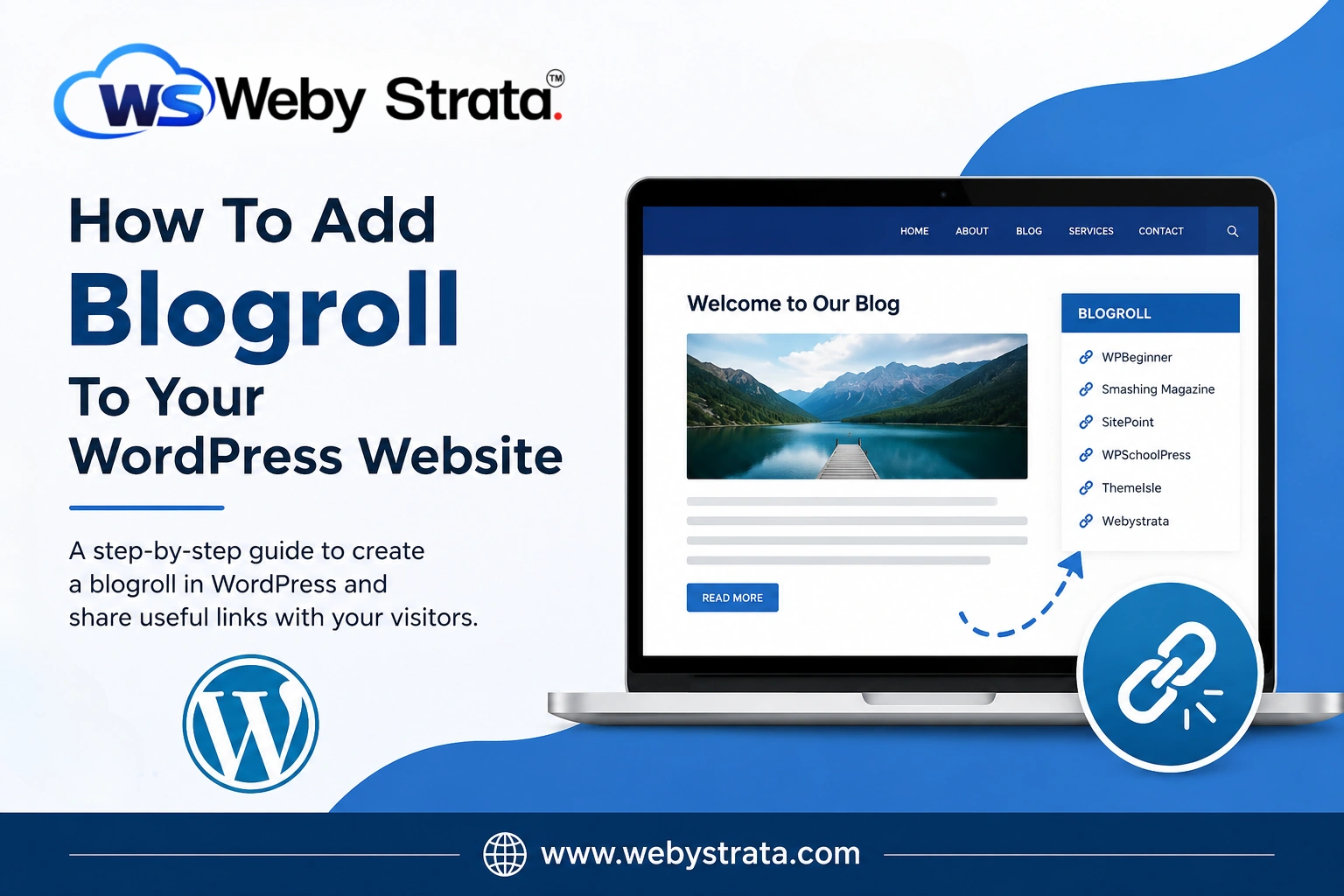
If you’ve been exploring WordPress or reading about blogging, you may have come across the term blogroll. While blogrolls were extremely popular during the early days of blogging, they continue to be a useful feature for website owners who want to share valuable resources, recommend trusted websites, or promote their own online projects.
In this guide, you’ll learn what a blogroll is, why it matters, how it benefits your website, and how you can create one in WordPress.
What Is a Blogroll?
A blogroll is a collection of links to blogs, websites, or online resources that a website owner recommends to visitors. Traditionally, blogrolls were displayed in a website’s sidebar and contained links to favorite blogs, partner websites, industry resources, or other sites owned by the same person.
The term “blogroll” combines the words blog and roll, meaning a list or collection of blogs.
For example, a web hosting company might create a blogroll containing links to:
- WordPress tutorials
- Website design resources
- SEO blogs
- Digital marketing websites
- Company partner websites
A blogroll acts as a recommendation list that helps visitors discover useful content beyond your own website.
The History of Blogrolls
Blogrolls became popular in the early 2000s when bloggers frequently linked to each other’s websites. Before social media platforms dominated content discovery, blogrolls were one of the primary ways readers found new blogs.
Many bloggers used blogrolls to:
- Build online communities
- Support fellow bloggers
- Share trusted resources
- Increase website visibility
- Encourage reciprocal linking
Steps To Add Blogroll To Your WordPress Website
Creating a blogroll in WordPress is simple.
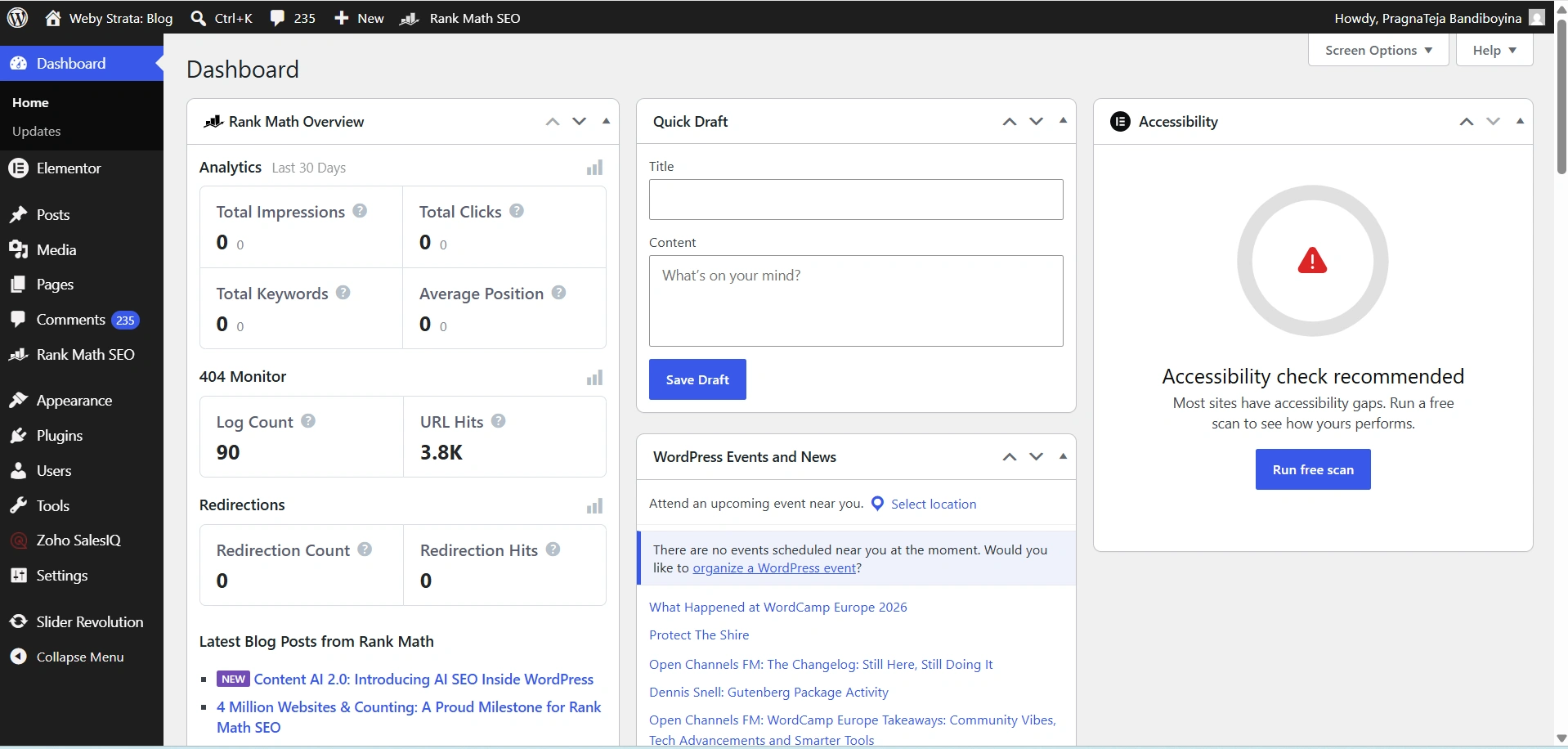
Step 1: Log in to Your WordPress Dashboard
Begin by accessing your WordPress administration area.
Open your web browser and visit:
https://yourdomain.com/wp-admin
Enter your administrator username and password, then click Log In.
Once logged in, you will be redirected to the WordPress Dashboard.
Step 2: Create a New Menu
Navigate to:
- Appearance → Menus
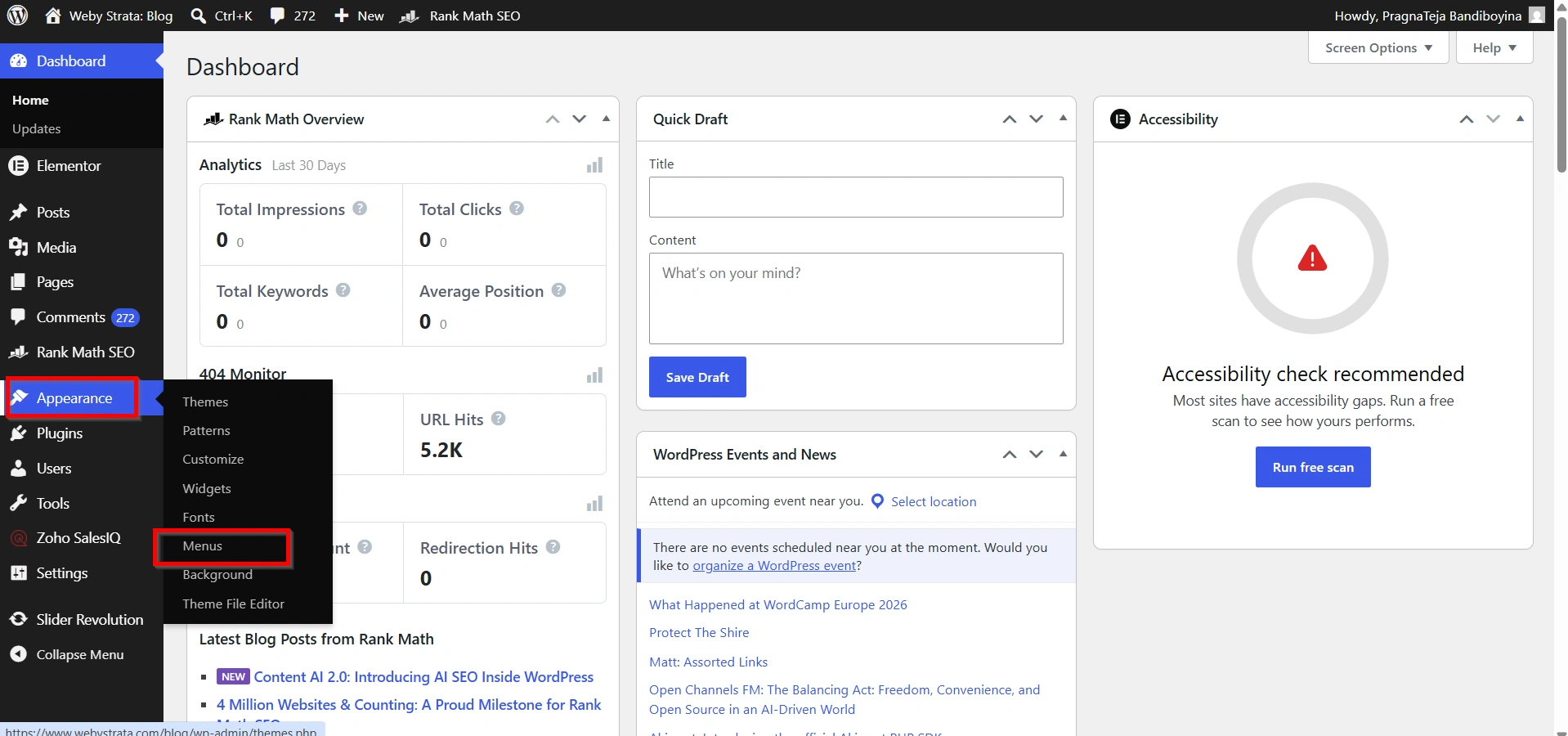
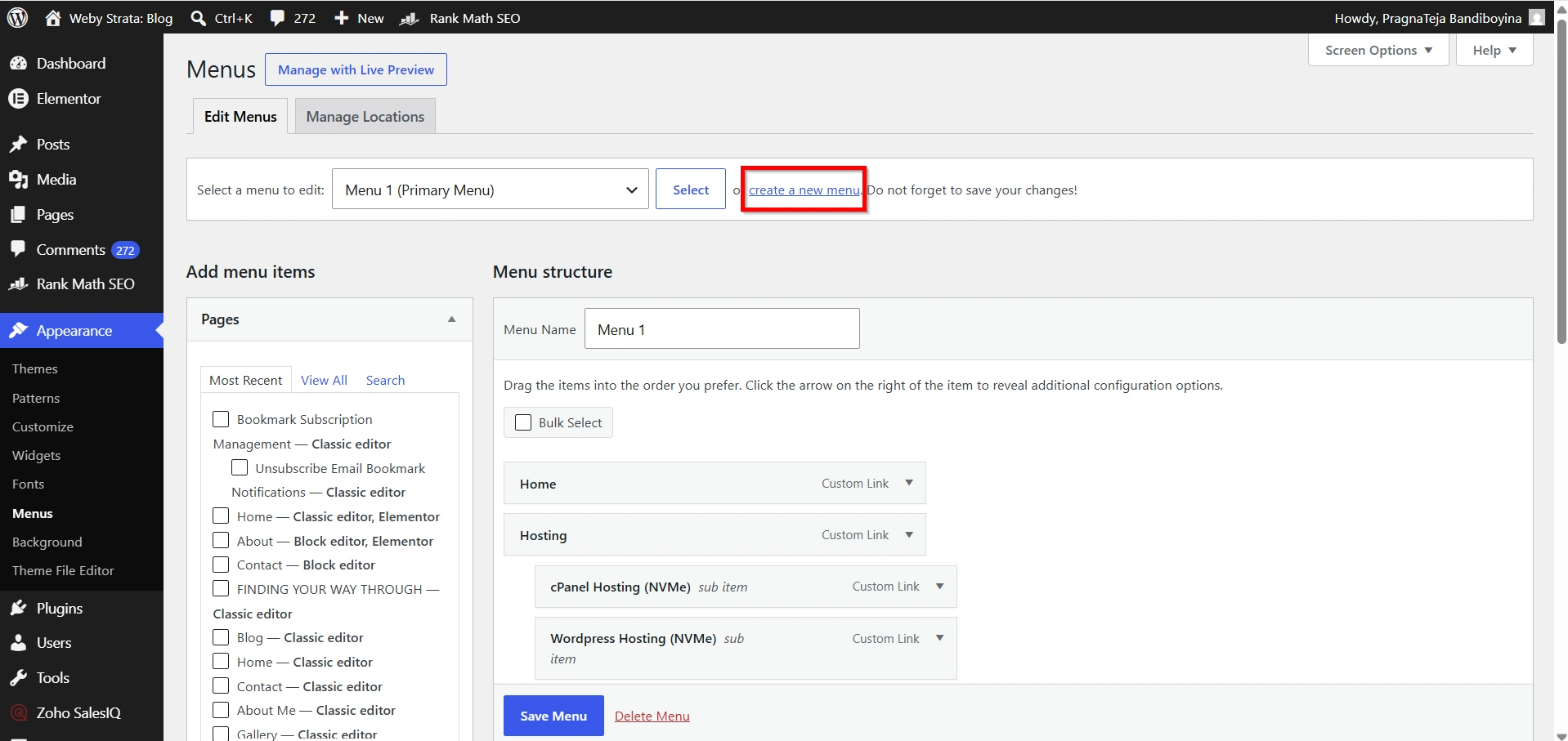
- Click Create a New Menu and give it a name such as “Blogroll.”
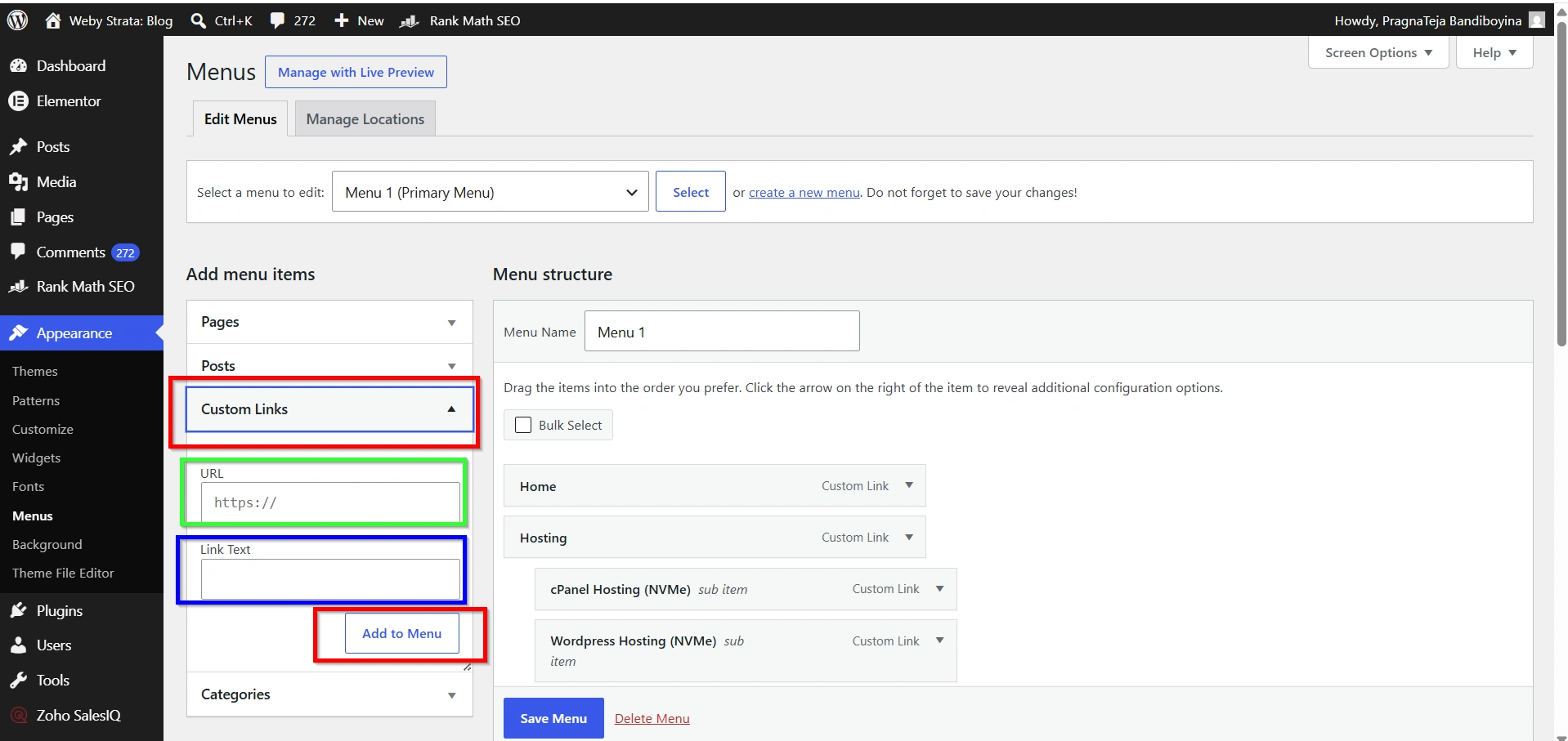
Step 3: Add Website Links
Use the Custom Links option to add:
- Website URL
- Link Text
Click Add to Menu after entering each link.
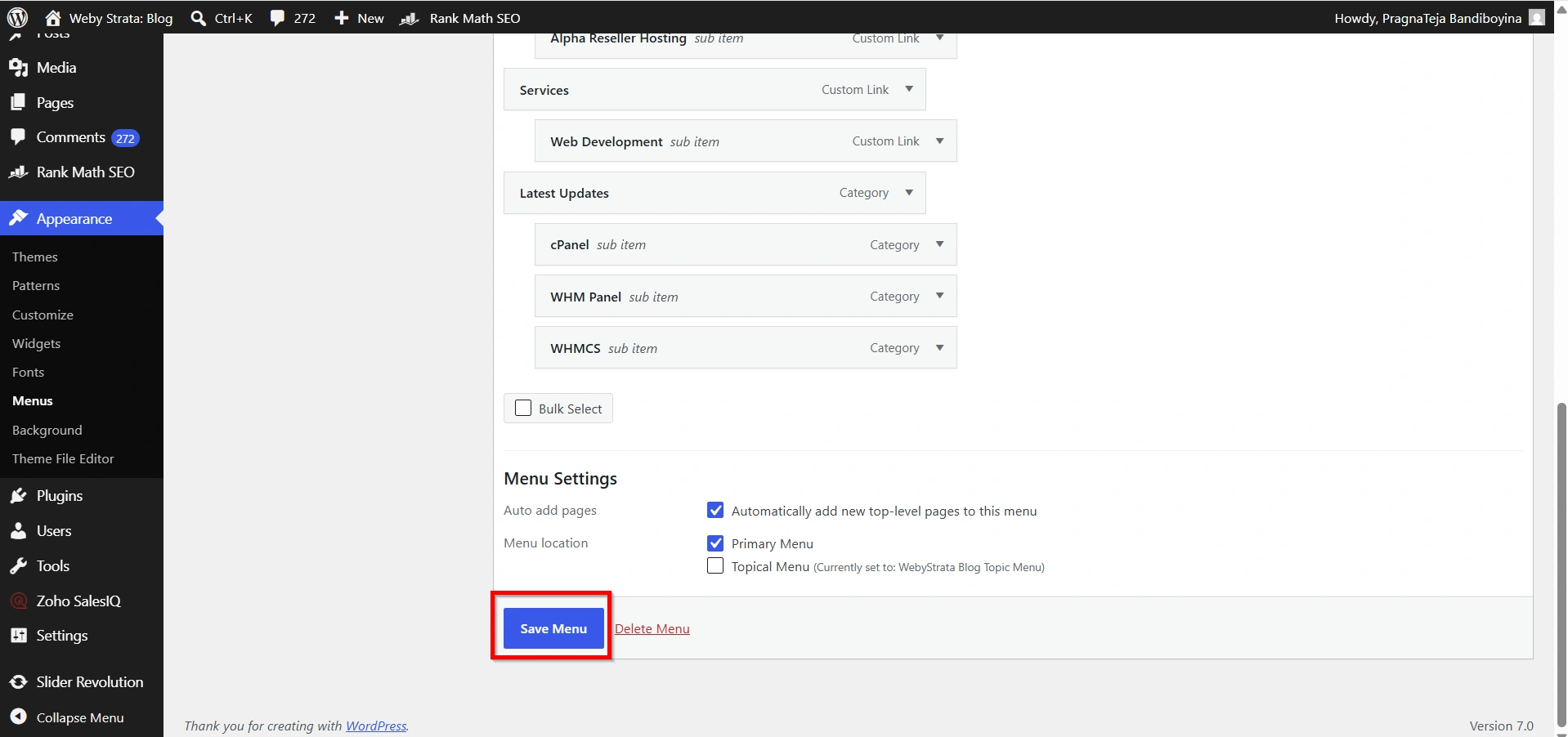
Step 4: Save the Menu
After adding all desired links, click Save Menu.
Step 5: Display the Blogroll
Go to:
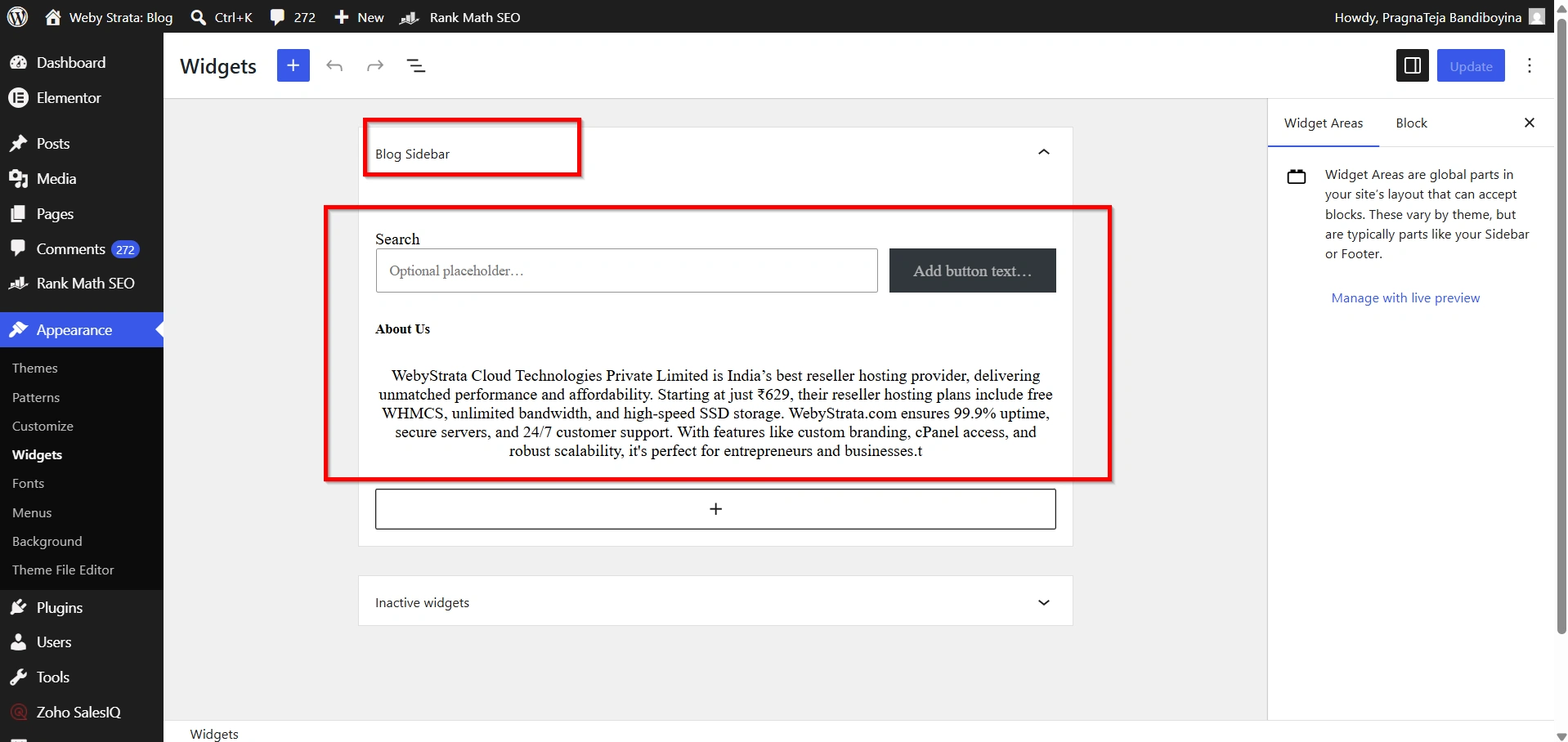
- Appearance → Widgets
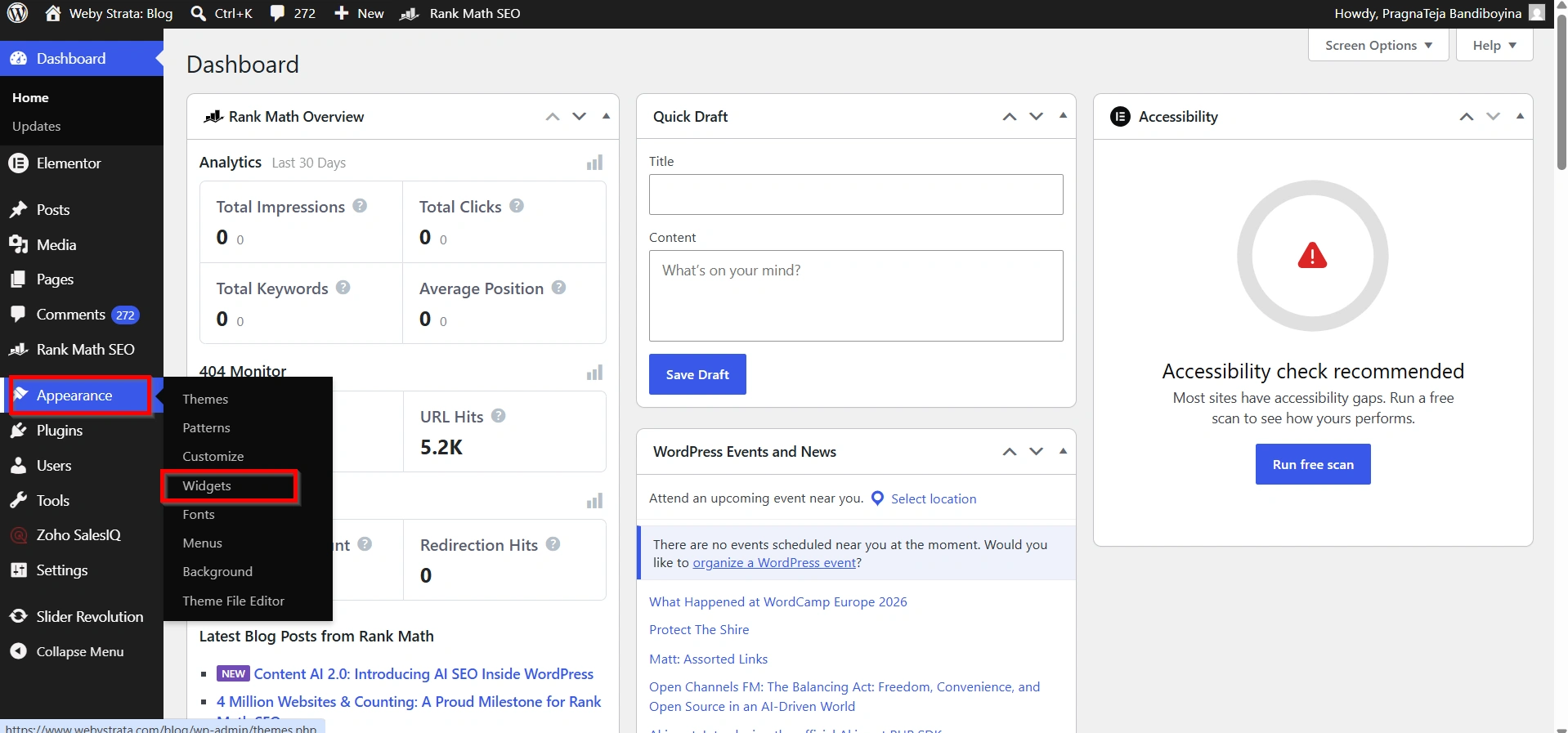
- Add a Navigation Menu widget to your sidebar or footer and select your Blogroll menu.
Your blogroll will now appear on your website.
Common Uses of Blogrolls
Today, blogrolls are often used in creative ways beyond simply linking to blogs.
Common examples include:
- Recommended reading lists
- Resource pages
- Partner websites
- Affiliate resources
- Industry directories
- Educational references
- Community websites
Many modern websites label their blogroll section as:
- Recommended Resources
- Useful Links
- Favorite Blogs
- Industry Resources
- Helpful Websites
Why Should You Use a Blogroll?
A blogroll serves several important purposes. It helps your visitors discover additional information while demonstrating that your website is connected to valuable industry resources.
When readers find useful recommendations on your website, they are more likely to trust your content and return in the future.
Some website owners use blogrolls to showcase:
- Their own websites
- Business partners
- Industry experts
- Educational resources
- Helpful tools and services
- Community websites
A carefully selected blogroll can improve the overall experience for your audience.
Benefits of Adding a Blogroll
1. Improves User Experience
2. Builds Authority and Trust
3. Encourages Networking
4. Promotes Your Other Websites
5. Provides Additional Value
6. Increases Visitor Engagement
7. Supports Community Building
Conclusion
A blogroll is a simple yet powerful way to share valuable websites, promote trusted resources, and improve user experience. Although blogrolls are not as common as they once were, they remain a useful feature for bloggers, businesses, and website owners who want to help visitors discover relevant content.
Whether you use a blogroll to recommend industry blogs, showcase your own websites, or build relationships within your niche, it can become an important part of your content strategy. With WordPress, creating and managing a blogroll is easy, making it a practical addition to almost any website.
Originally published on WebyStrata.com Blog.
Related Articles