cPanel Complete Tutorials
How-To change the permission of files or folders via the cPanel File manager
Introduction This article explains how to change the permissions of a file or folder via the File Manager Graphical interface. If you are unfamiliar with the file permission's and their corresponding names, please view…
Introduction
This article explains how to change the permissions of a file or folder via the File Manager Graphical interface. If you are unfamiliar with the file permission’s and their corresponding names, please view the below document
Procedure
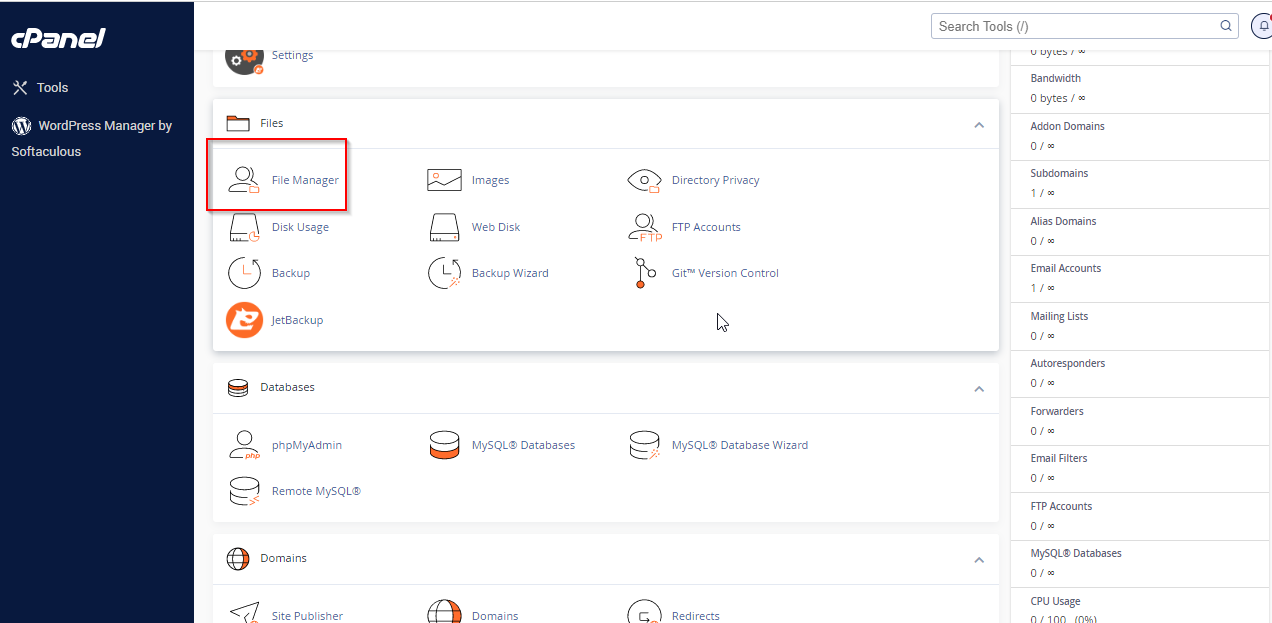
1. Log into cPanel as the user in question and locate the file or folder in question.
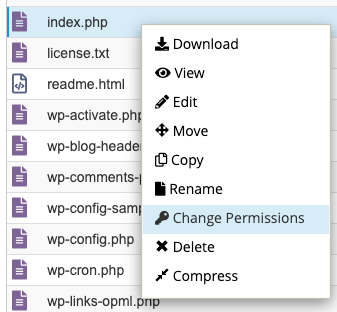
2. Right-click the file or folder and select ‘change permissions.’
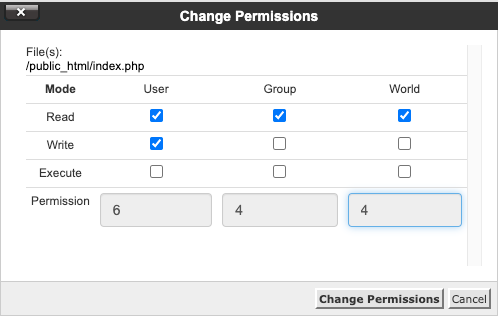
3. The permission menu uses the full wording for the permissions, read, write, execute. For standard ‘644’ that most files, the first section needs ‘read, write’, and the other two areas only need ‘read’. Once this is done select ‘Change Permissions‘
Related Articles