cPanel Complete Tutorials
cPanel -Subdomains
Log into cPanel on the account to add the subdomain on. Click "Domains" under the "Domains" section. Click the "Create A New Domain" button. Enter the subdomain name to add in the "Domain"…
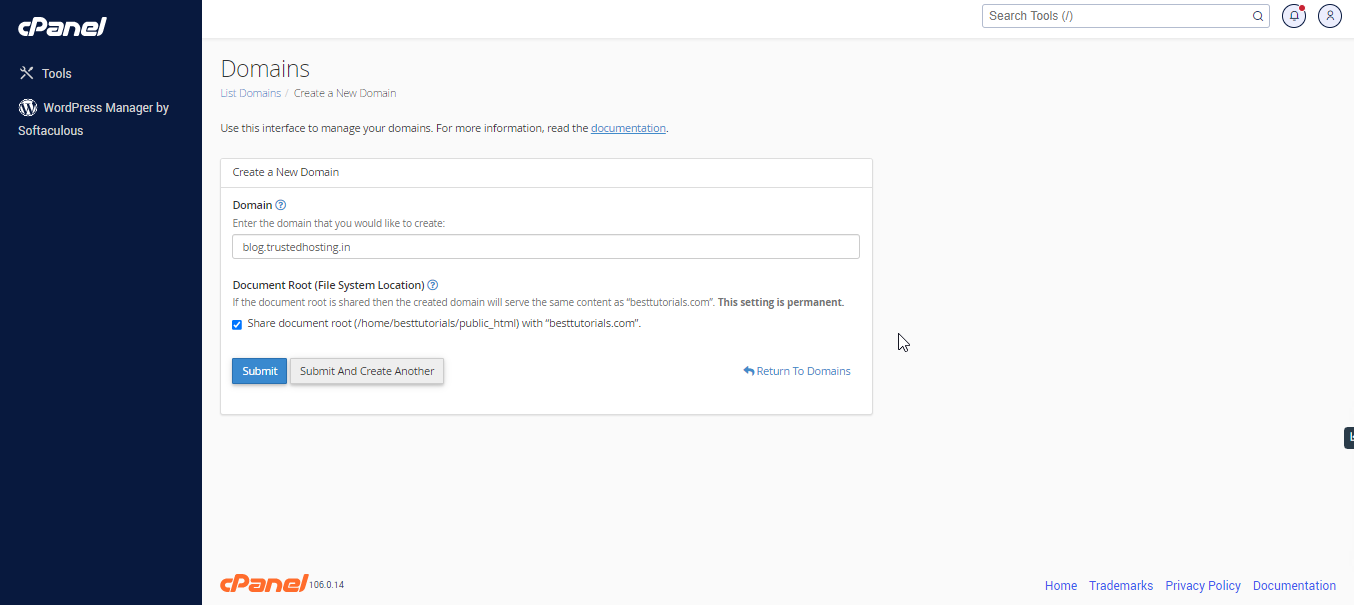
- Log into cPanel on the account to add the subdomain on.

- Click “Domains” under the “Domains” section.

- Click the “Create A New Domain” button.

- Enter the subdomain name to add in the “Domain” text box.
- Deselect the “Share document root (/home/username/public_html) with “domain.tld”.” option.
- Enter the directory where you want the files for this subdomain to exist.
- Click the “Submit” button.
Related Articles