Latest Updates
How to Create a Bilingual or Multilingual WordPress Website
How to Create a Bilingual or Multilingual WordPress Website As businesses expand globally, website visitors increasingly expect content in their native language. A bilingual or multilingual WordPress website helps you connect with a wider…
How to Create a Bilingual or Multilingual WordPress Website
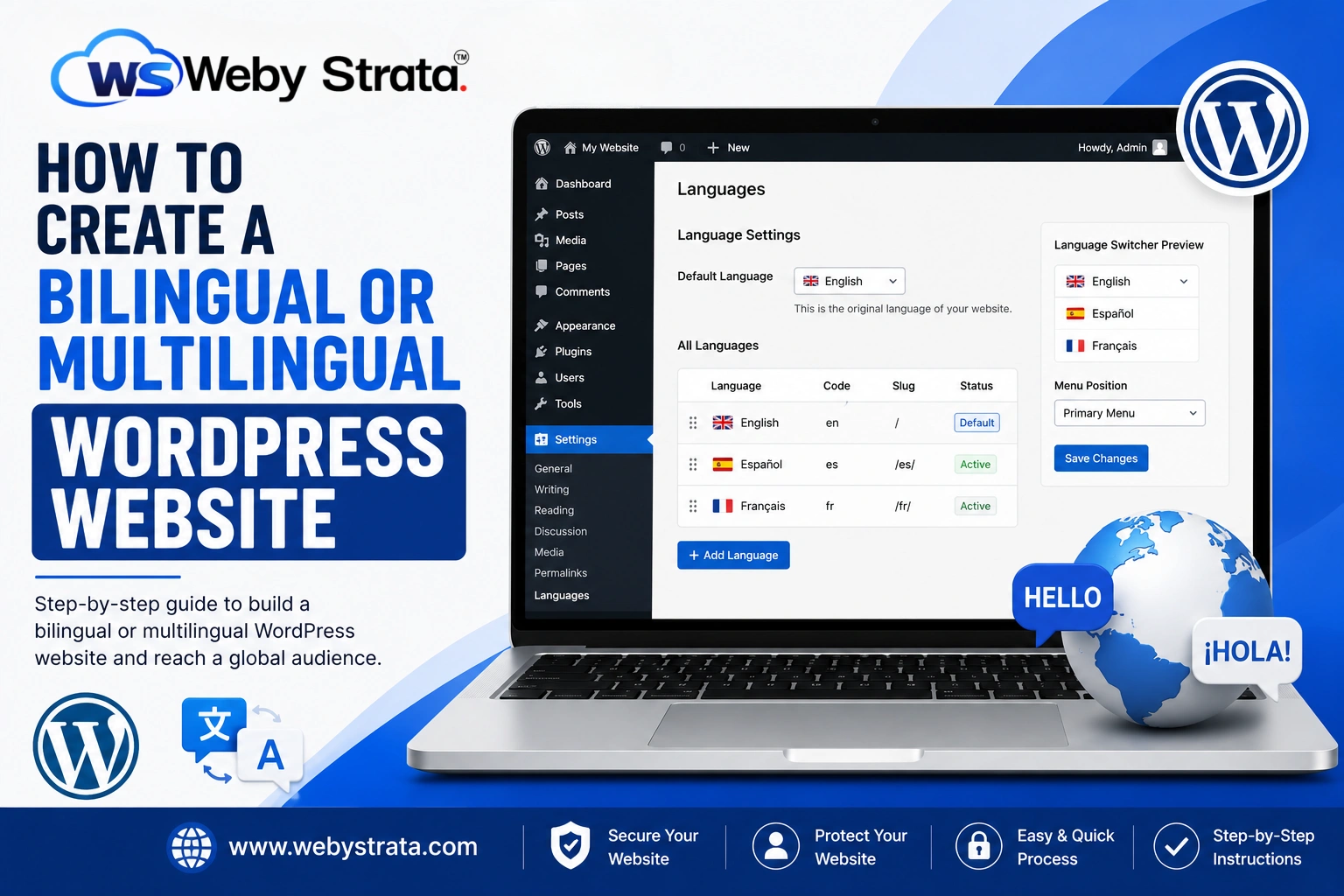
As businesses expand globally, website visitors increasingly expect content in their native language. A bilingual or multilingual WordPress website helps you connect with a wider audience, improve user experience, and increase conversions by making your content accessible to users worldwide.
WordPress offers several plugins that make creating a multilingual website simple, even if you have no coding experience. Whether you want to offer your website in two languages or support multiple languages for international visitors, WordPress provides flexible solutions.
In this guide, you’ll learn how to create a bilingual or multilingual WordPress website using a translation plugin.
What Is a Bilingual or Multilingual Website?
A bilingual website provides content in two languages, while a multilingual website supports three or more languages. Visitors can choose their preferred language using a language switcher and browse the website in a language they understand.
Examples include:
- English and Hindi
- English and Spanish
- English, French, and German
- English, Arabic, and Chinese
This approach improves accessibility and helps businesses serve international customers effectively.
Step 1: Log in to Your WordPress Dashboard
Begin by accessing your WordPress administration area.
Open your web browser and visit:
https://yourdomain.com/wp-admin
Enter your administrator username and password, then click Log In.
Once logged in, you will be redirected to the WordPress Dashboard.
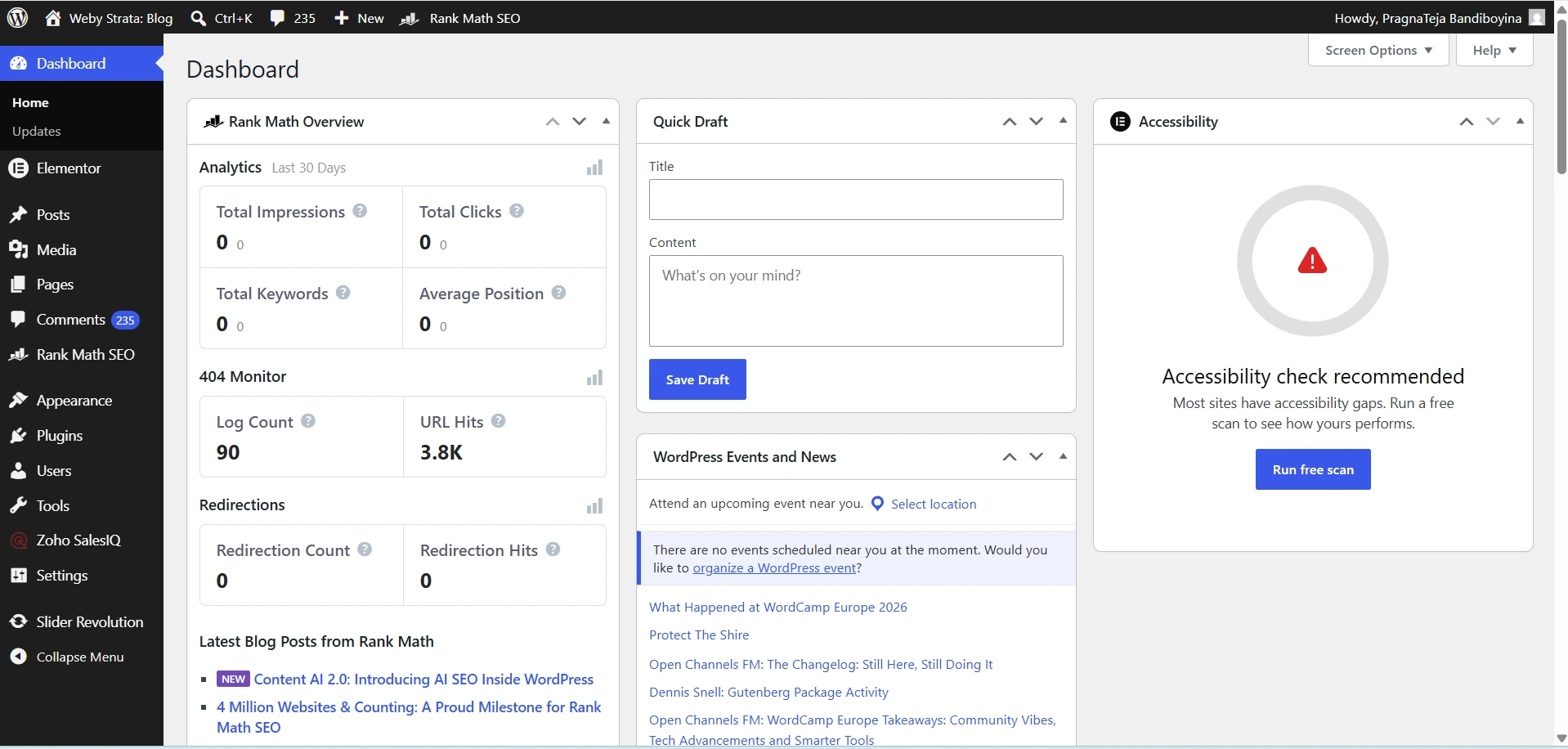
Step 2: Install the TranslatePress Plugin
- Navigate to Plugins → Add New.
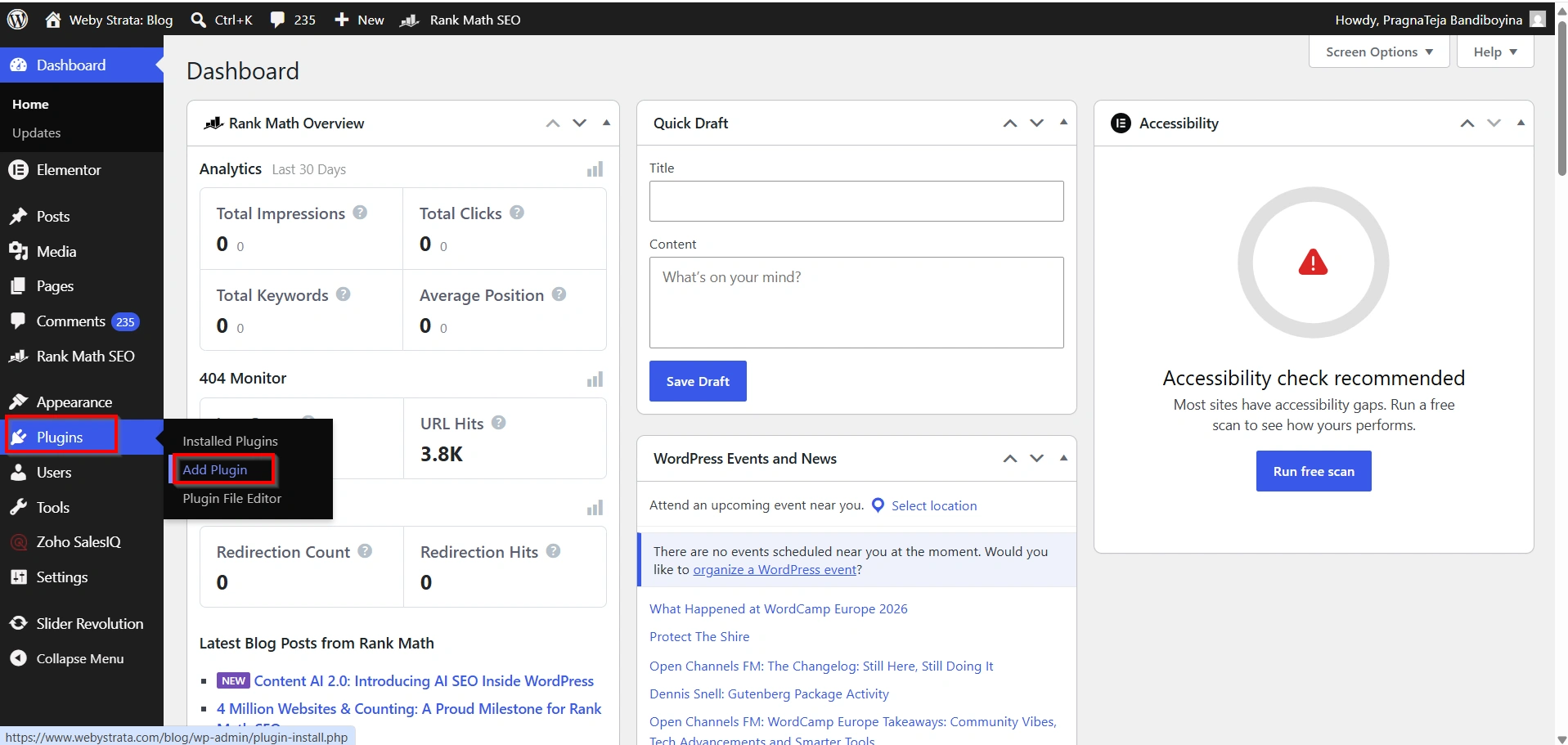
2. Search for TranslatePress.
3. Click Install Now.
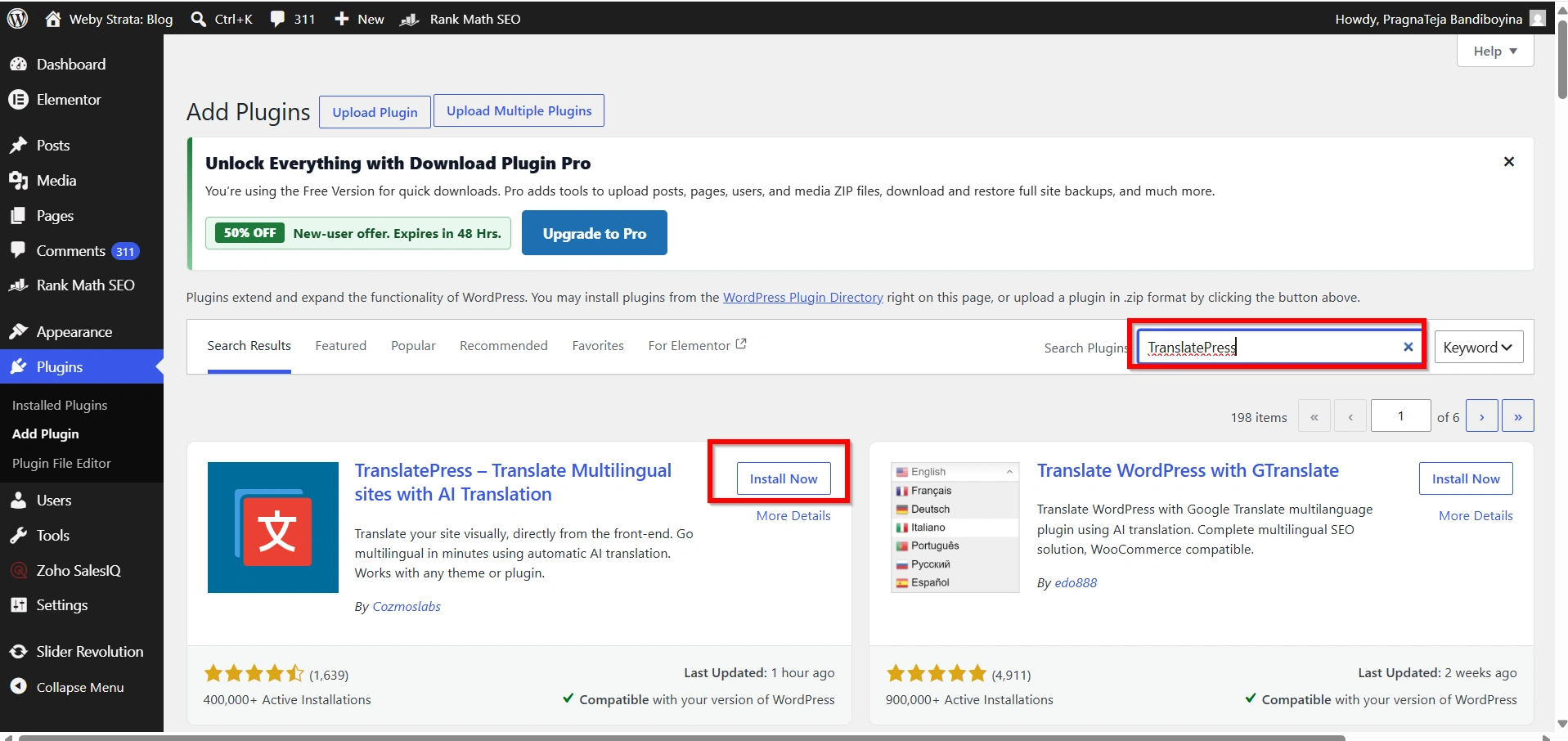
4. Click Activate.
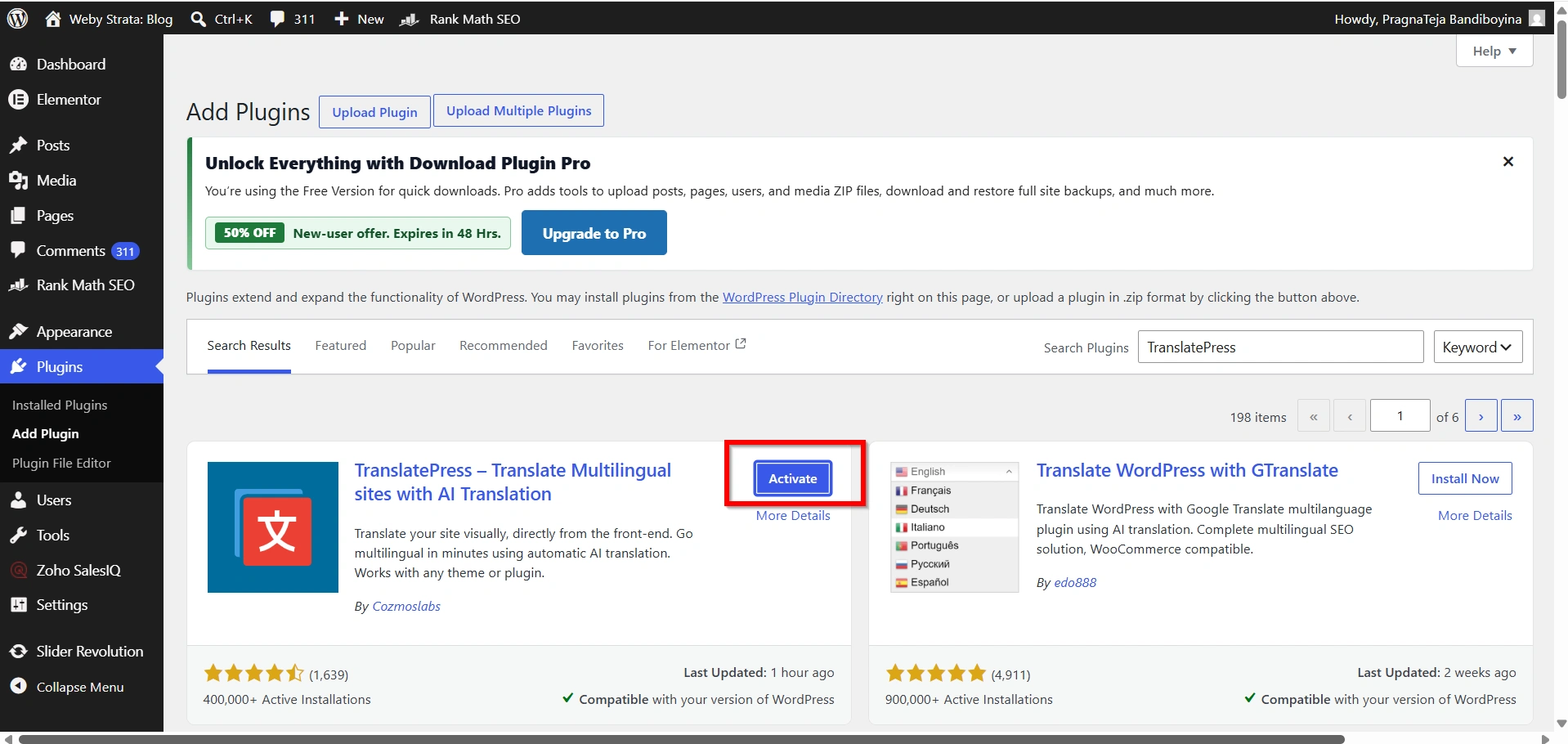
After activation, the plugin settings will become available in your dashboard.
Step 3: Configure Language Settings
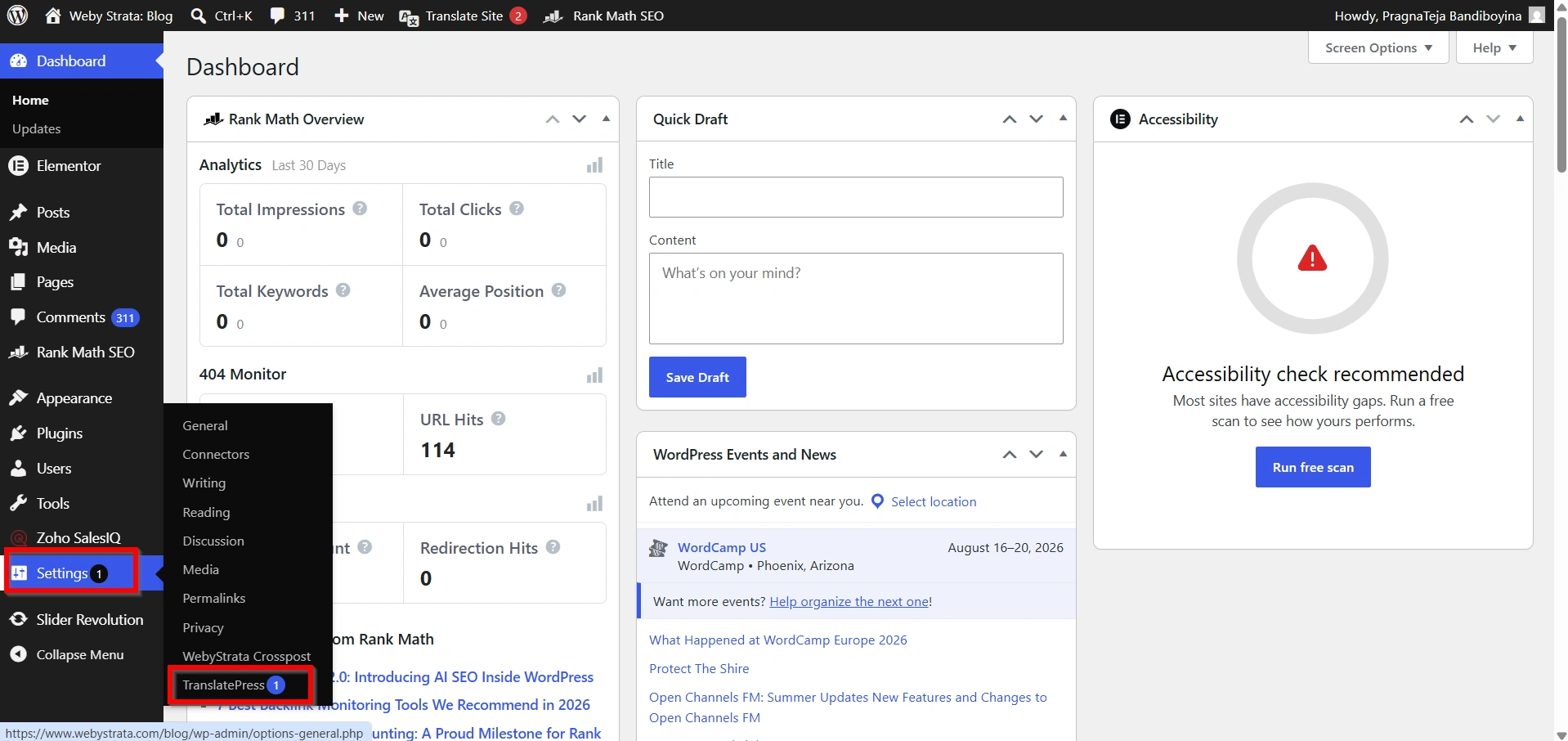
- Go to Settings → TranslatePress.
2. Select your website’s default language.
3. Add one or more secondary languages.
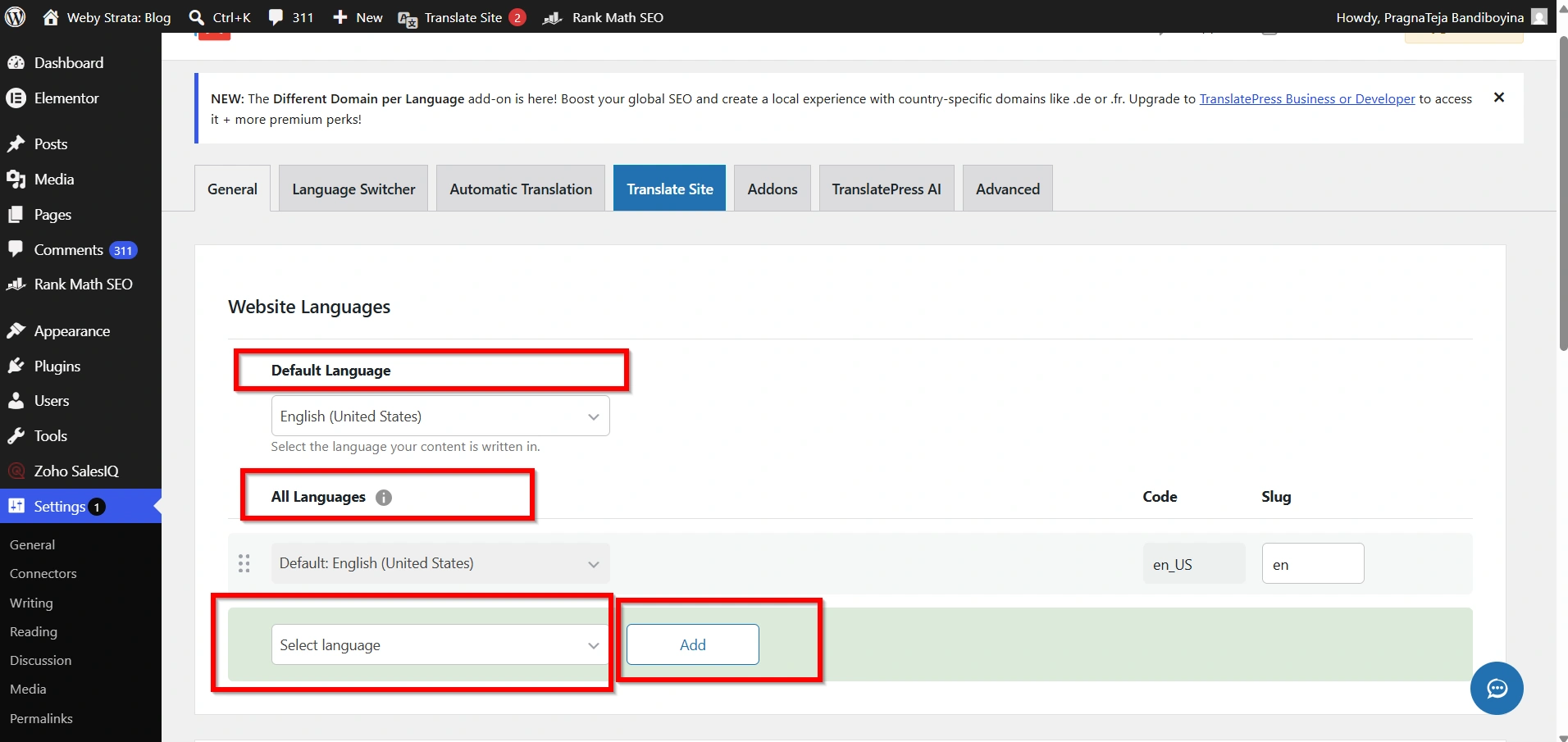
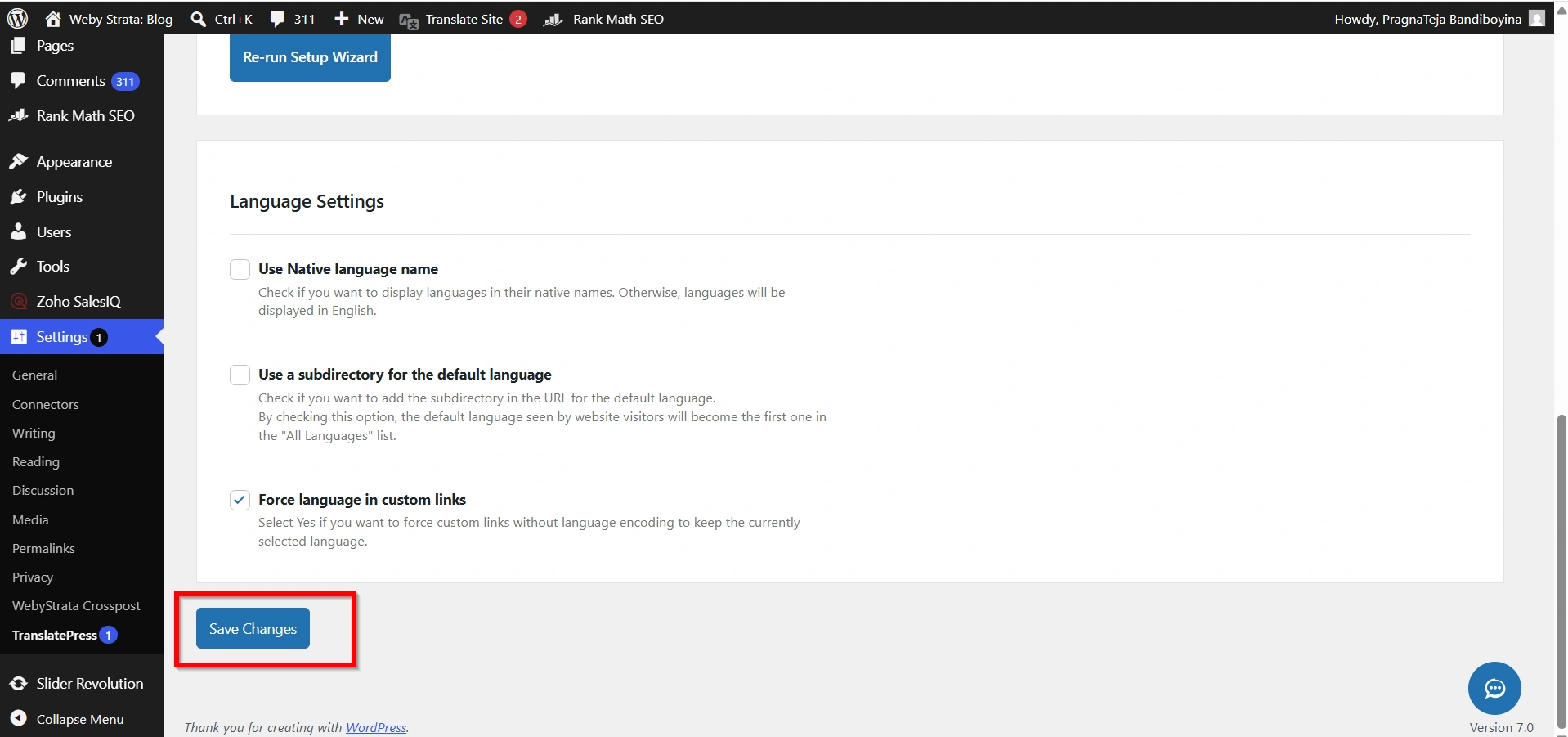
4. Save the settings.
Example:
- Default Language: English
- Additional Language: Hindi
You can add multiple languages depending on your audience.
Step 4: Configure the Language Switcher
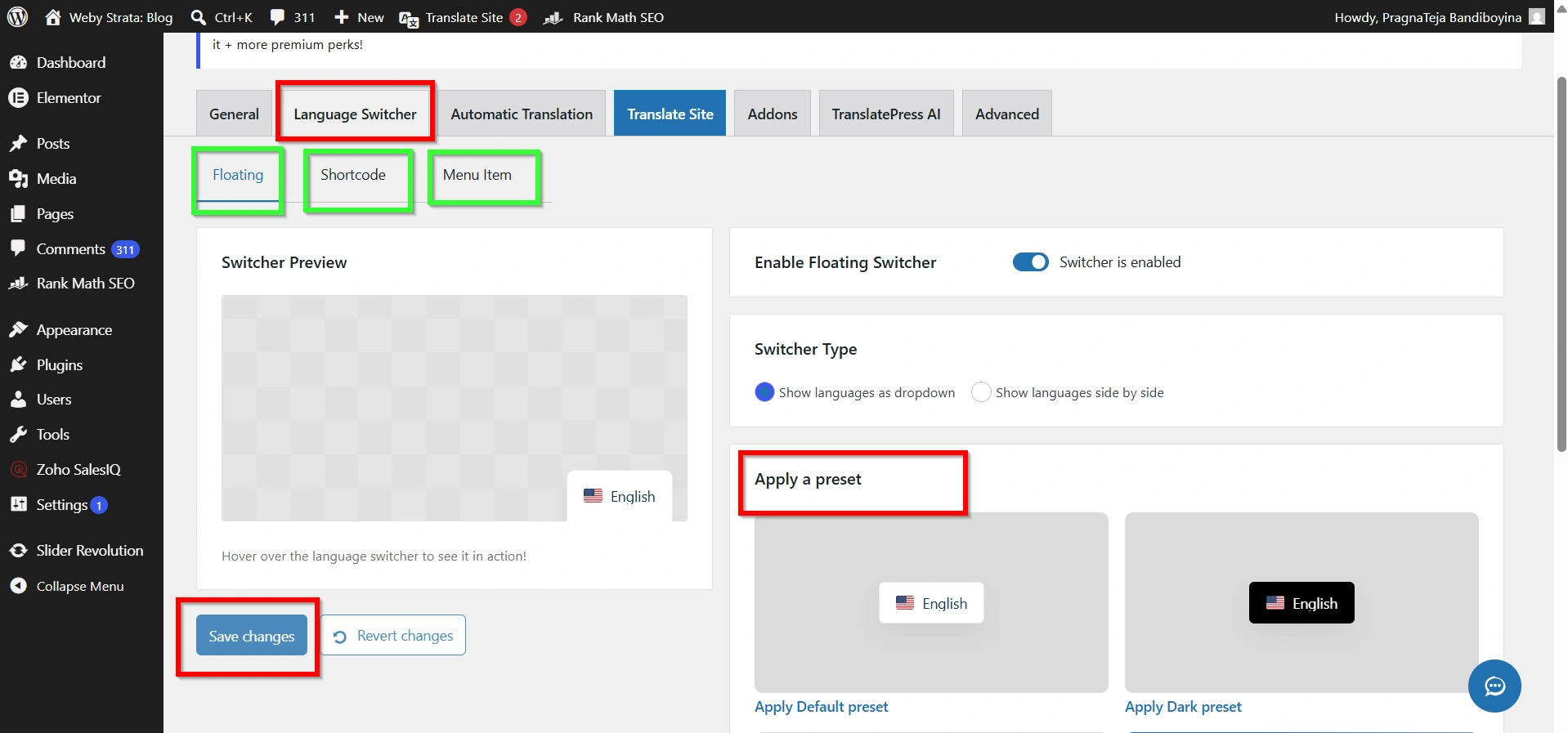
The language switcher allows visitors to select their preferred language.
TranslatePress lets you display the language switcher in several ways:
- Navigation menu
- Floating language selector
- Shortcode placement
- Widget area
Choose the option that best fits your website design.
Step 5: Translate Your Website Content
After configuring the languages:
- Go to Settings → TranslatePress.
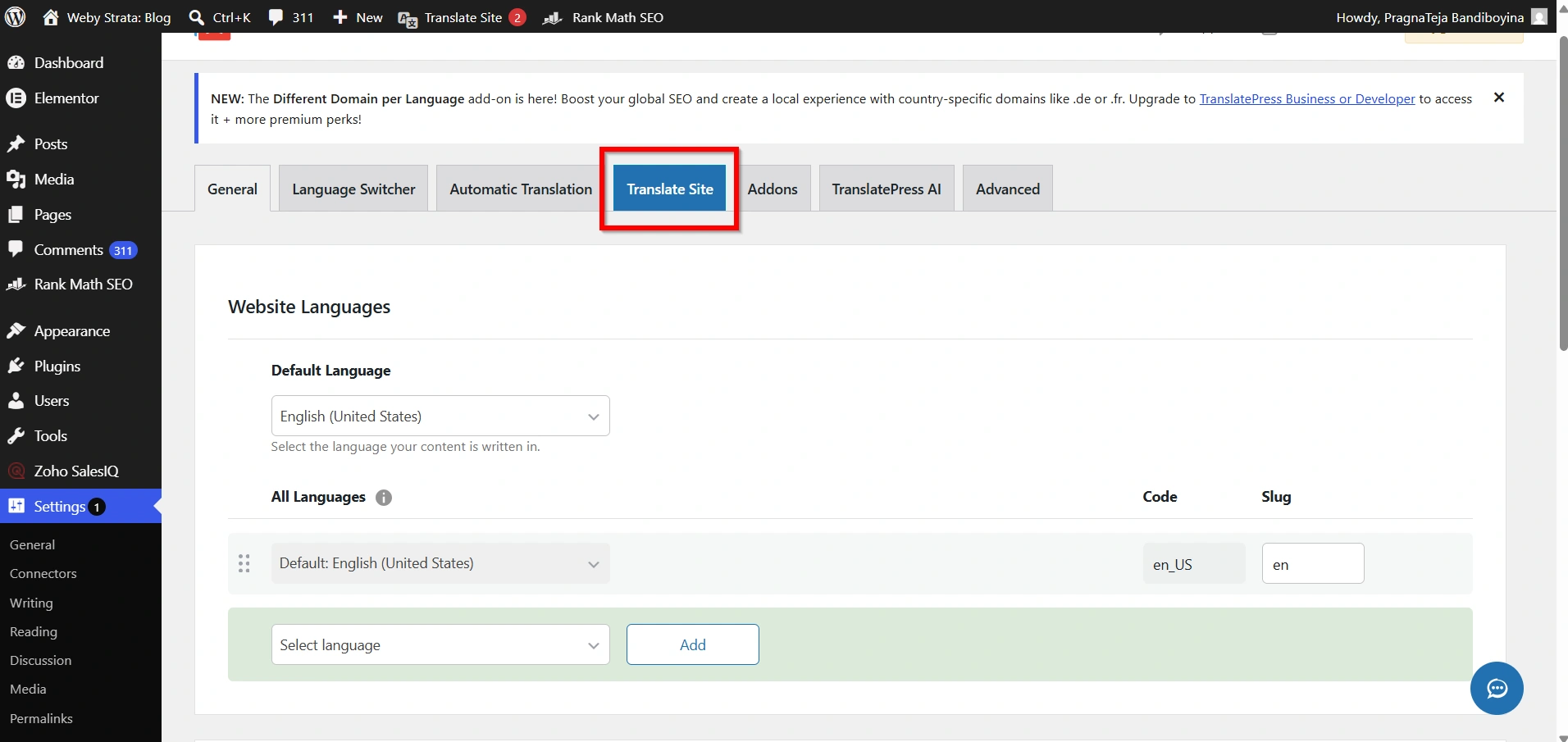
2. Click Translate Site.
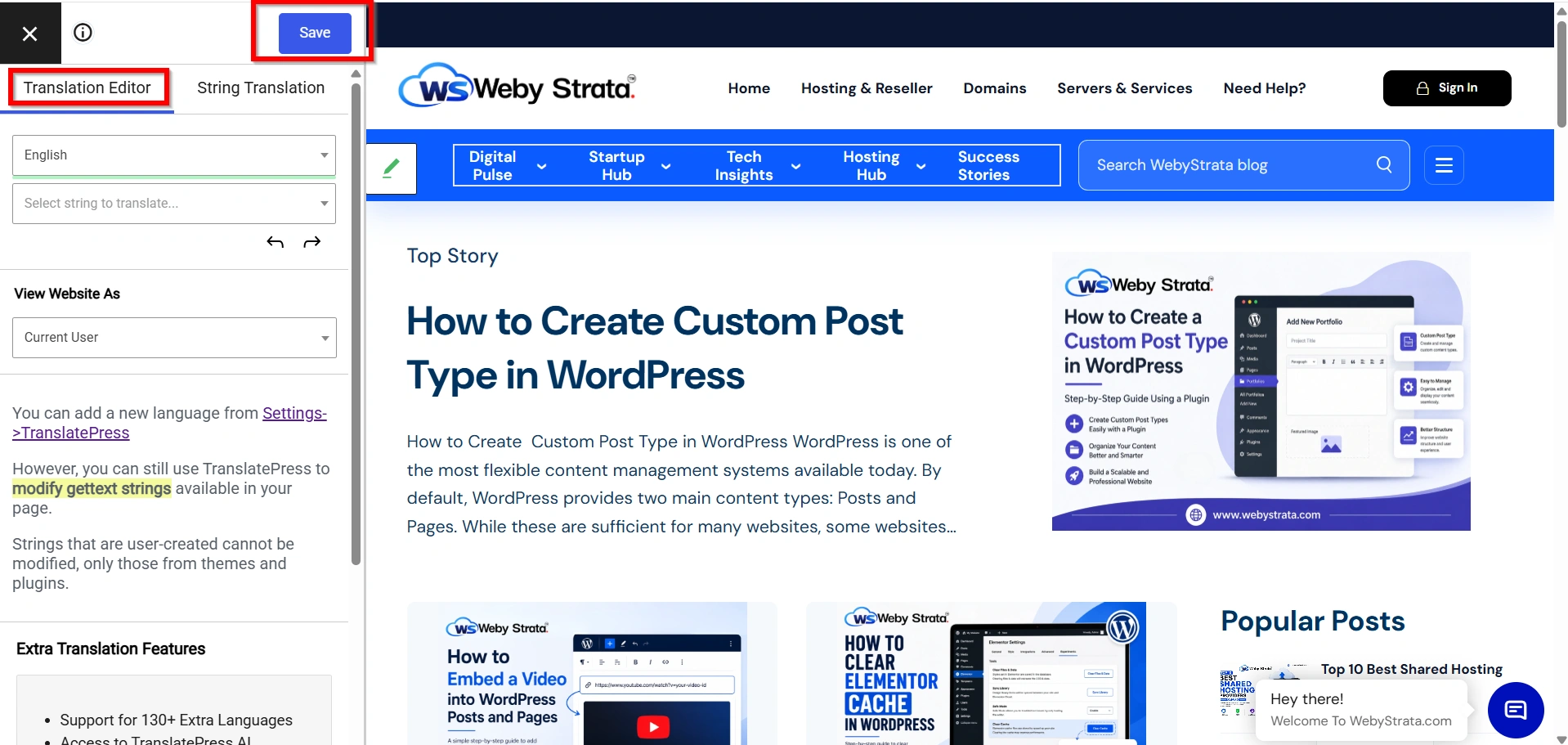
3. The visual translation editor will open.
4. Click on any text displayed on your website.
5. Enter the translated version in the translation panel.
6. Save your changes.
Repeat this process for all important pages and content.
Step 6: Translate Menus and Navigation
To provide a seamless multilingual experience, translate your navigation menus.
- Go to Appearance → Menus.
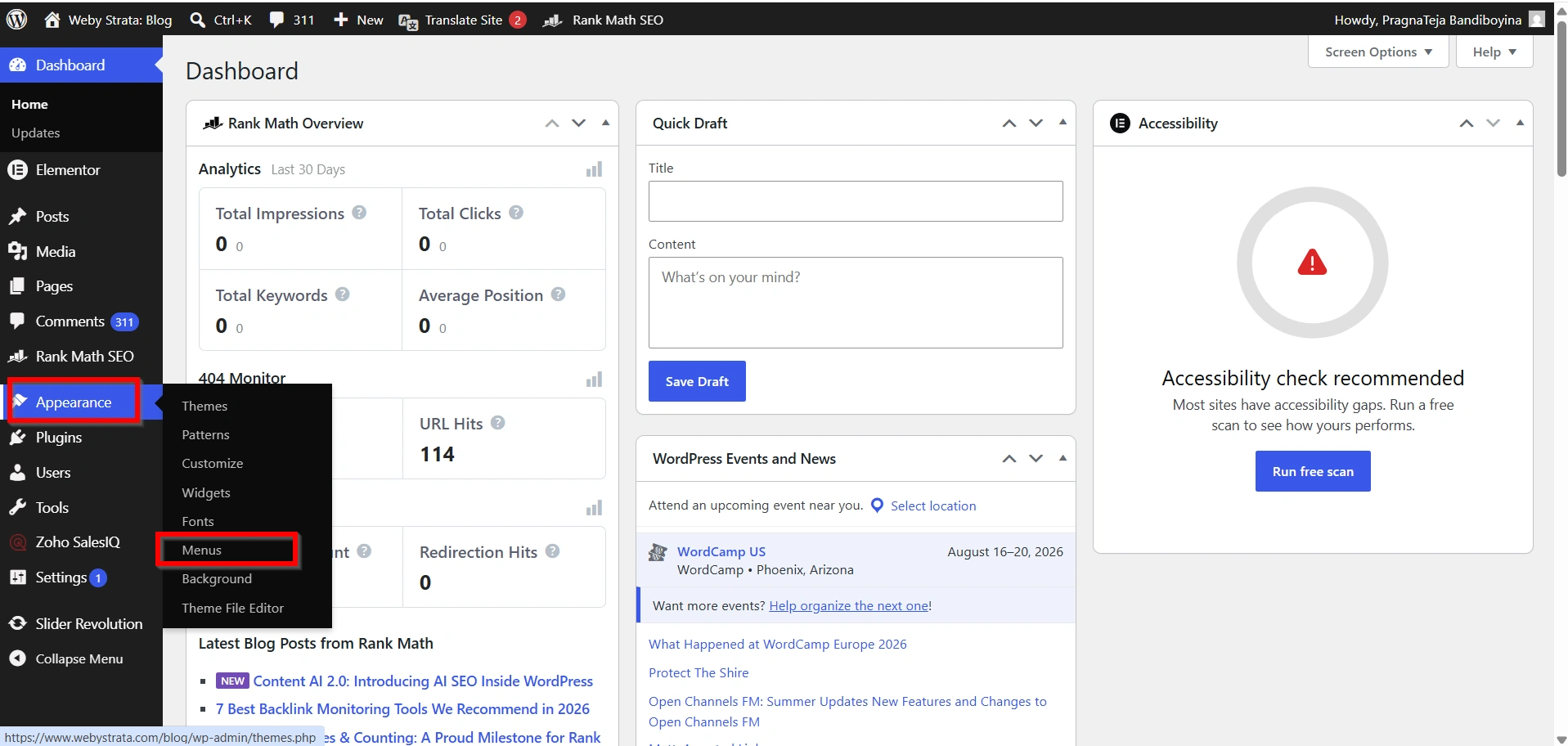
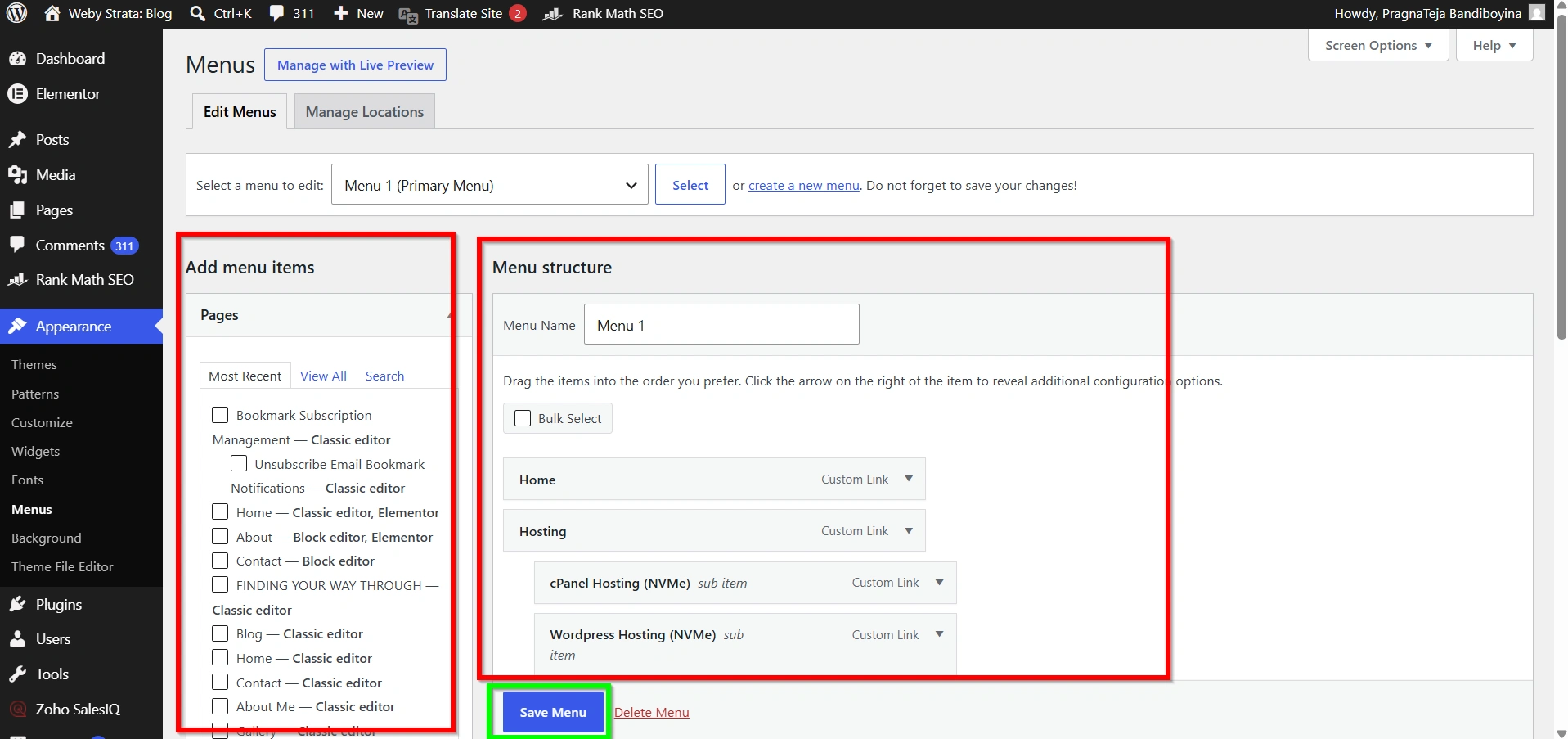
2. Create translated menu versions if required.
3. Assign them to the appropriate language.
This ensures users see menu items in their selected language.
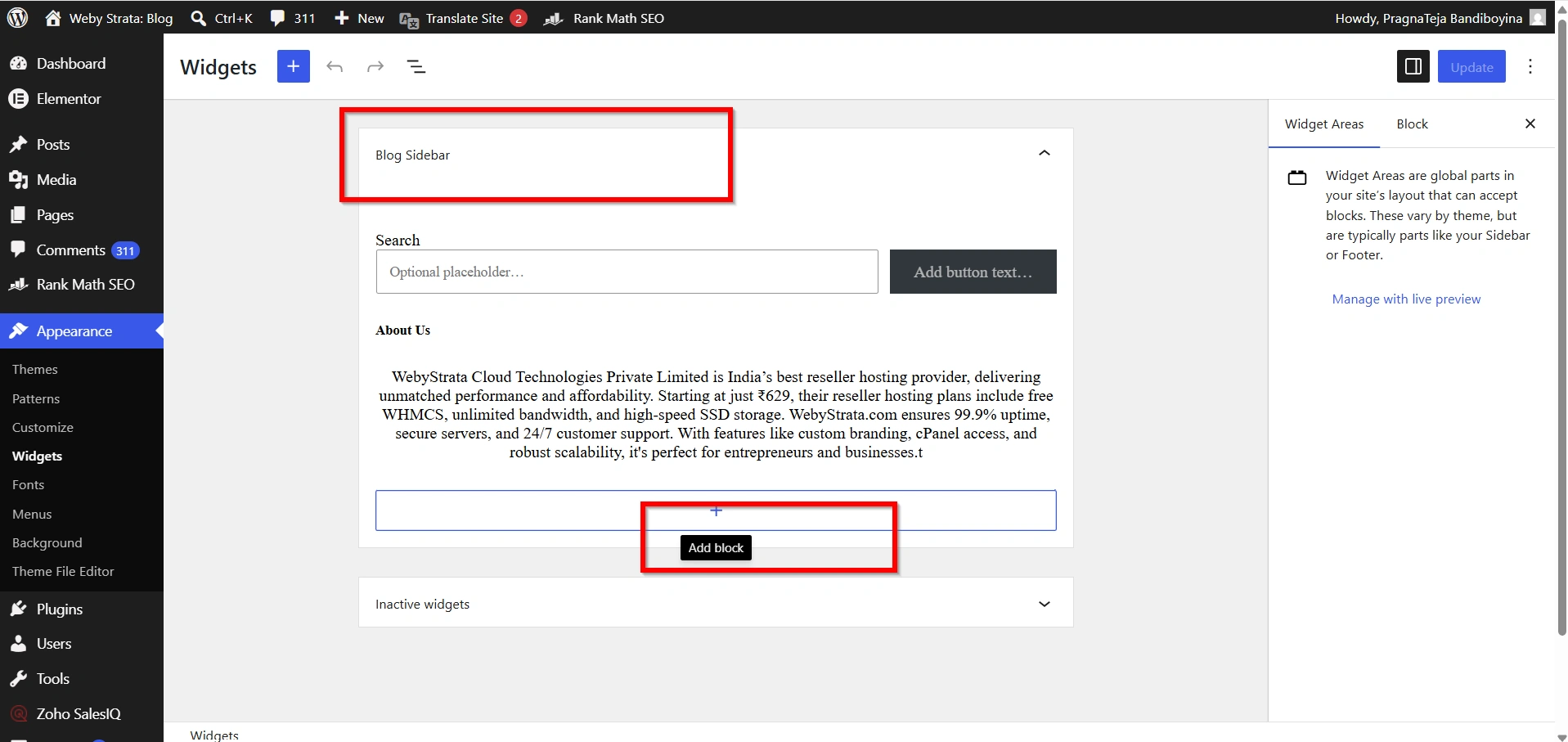
Step 7: Translate Widgets and Sidebar Content
If your website uses widgets, translate the content displayed in sidebars, footers, and widget areas.
Examples include:
- Contact information
- Business hours
- Promotional banners
- Call-to-action sections
Providing translated widgets creates a consistent experience throughout the website.
Step 8: Optimize for Multilingual SEO
A multilingual website should also be optimized for search engines.
Translate the following elements:
- SEO titles
- Meta descriptions
- Image alt text
- URLs and slugs (where supported)
- Product descriptions
Proper multilingual SEO helps search engines understand and index each language version effectively.
When Should You Create a Multilingual Website?
A multilingual website is recommended if:
- You serve international customers.
- Your audience speaks multiple languages.
- You operate an eCommerce store globally.
- You provide services across different countries.
- You want to improve international SEO performance.
Even small businesses can benefit from supporting multiple languages when targeting diverse customer groups.
Benefits of a Multilingual WordPress Website
- Reach More Visitors
- Improve User Experience
- Increase Search Engine Visibility
- Boost Sales and Conversions
- Build Global Brand Recognition
Conclusion
Creating a bilingual or multilingual WordPress website is an effective way to reach more visitors, improve user experience, and grow your online presence internationally. With plugins like TranslatePress, WPML, Polylang, and Weglot, WordPress makes it easy to translate your content without requiring technical expertise.
By offering content in multiple languages, you can increase traffic, strengthen customer trust, improve search engine visibility, and create a more inclusive website experience. Whether you need a bilingual site for local audiences or a multilingual platform for global visitors, WordPress provides the tools necessary to get started quickly and efficiently.
Originally published on WebyStrata.com Blog.
Related Articles