WHMCS
How to Create Separate Renewal Invoices for a Client’s Services
How to Create Separate Renewal Invoices for a Client's Services By default, WHMCS groups service renewal invoices that are due on the same day into a single renewal invoice. However, you may sometimes want…

How to Create Separate Renewal Invoices for a Client’s Services
By default, WHMCS groups service renewal invoices that are due on the same day into a single renewal invoice. However, you may sometimes want to invoice each service separately.
Separate Invoices for One Client
To separate invoices for a single client:
1. Go to the Profile tab in the client’s profile.
2. Set Separate Invoices to ON.
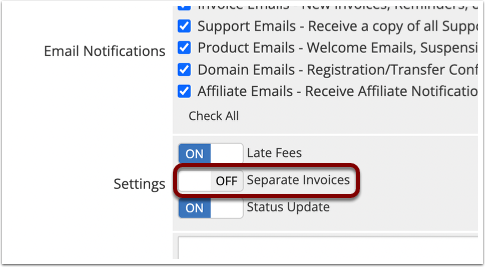
3. Click Save Changes.
Separate Invoices for a Client Group
To separate invoices for a group of clients:
1. Go to Configuration > System Settings > Client Groups.
2. Add a new client group with your desired name and color.
3. Check Separate Invoices for Services.
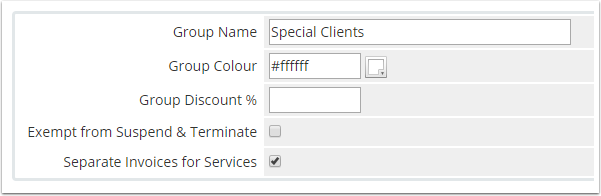
4. Click Save Changes.
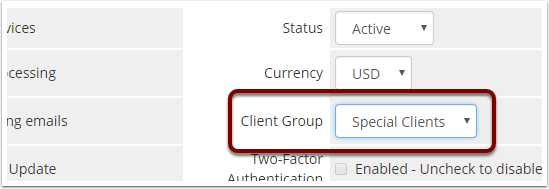
5. For each of the desired clients, go to the client’s Profile tab, select the newly-created client group, and click Save Changes.
Related Articles